




Warning! The content within this article is over 36 months old and, therefore, may be out of date.
HOWTO: Monitor a Process in Linux using vRealize Operations - Endpoint Operation Management - Part 3
Share this article on:



Endpoint Operations Management EPOPS Linux VMware vRealize Operations
Published on 20 April 2016 by Christopher Lewis. Words: 258. Reading Time: 2 mins.
Introduction
This is Part 3 of a series on Monitoring Processes in Linux using VMware vRealize Operations Endpoint Operations Management.
- Creating the MultiProcess Object for a single Linux Machine
- Creating a MultiProcess Object for a Linux Machine (via Inventory Explorer)
- Creating Object Relationships
- Identifying the correct process.query string
Step By Step Guide
Creating Object Relationships
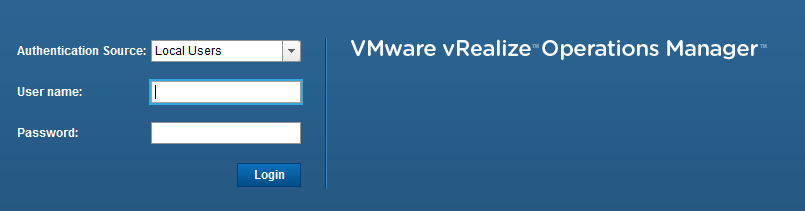
- If you haven’t already, log into vRealize Operations using an appropriate account.
- Select Administration.

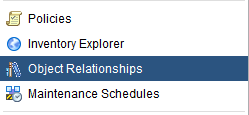
- Select Object Relationships.
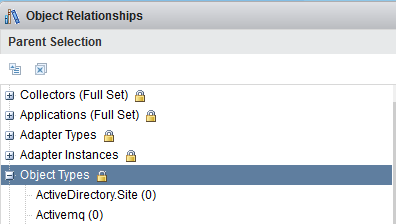
- Under Parent Selection, select Object Types.
- Select Linux from the Object Types tree to filter the list of objects to show the monitored Linux Servers.
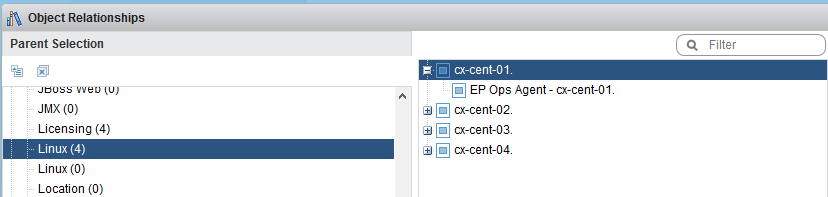
- From the far right of the screen, select Object Type and then select Multi Process to display the objects previously created (in this instance I have created three, crond, sshd and rsyslogd) within the List
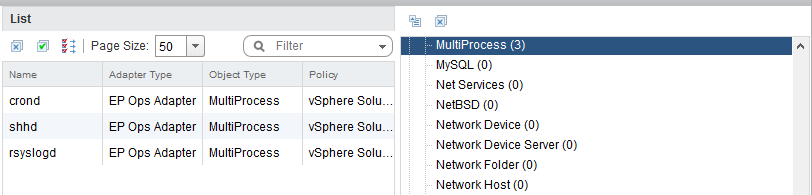
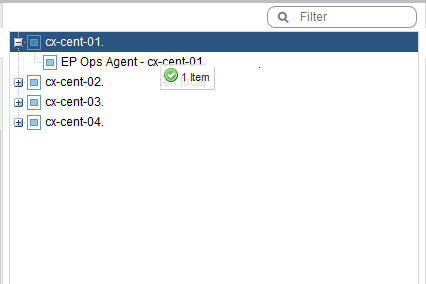
- Highlight the target Parent object (cx-cent-01) and create the relationship by dragging and dropping the child object onto the Parent object.
Note:
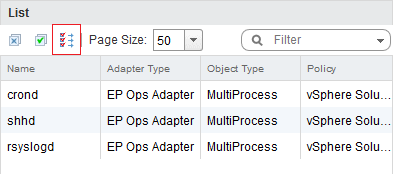
If the child objects are filtered correctly, you can click on the Add All Objects to Parent icon.
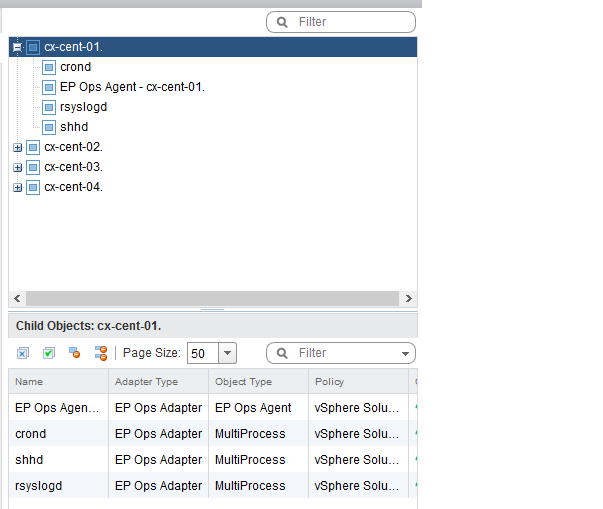
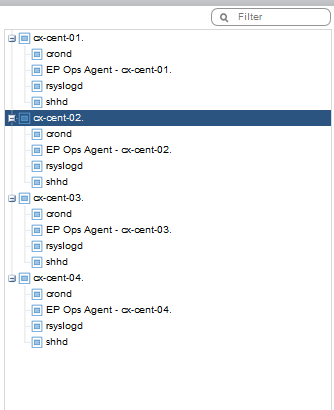
- Once all three Multi Processes objects have been linked to the parent, the Child Object display should look like below.
- Rinse and repeat the drag and drop for all parent Linux Objects.
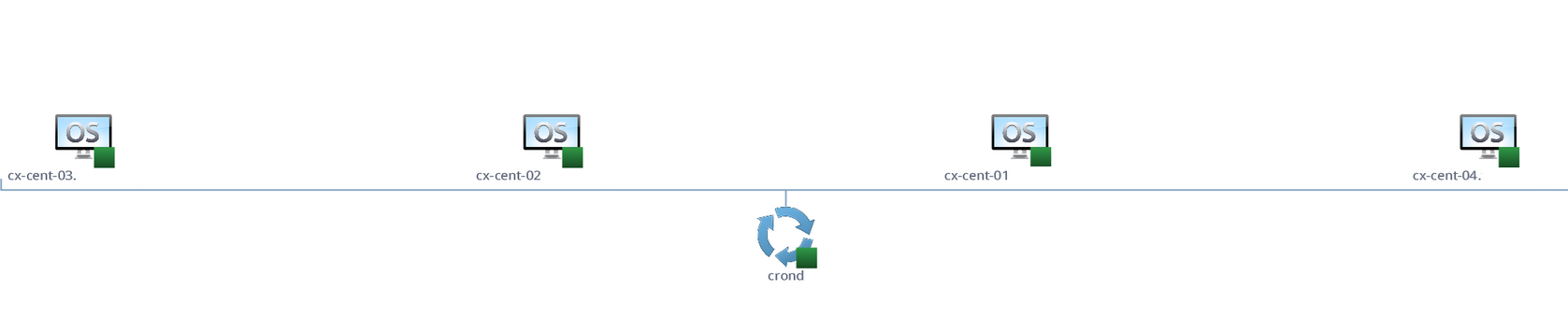
- The view from Environment > Operating Systems > Operating Systems World > Linux and Troubleshooting > All Metrics will look a bit like this when you focus on the
crondjob.
What is Next?
Ok so how do you work out what the value for process.query is?
We tackle that in Part 4 !
Published on 20 April 2016 by Christopher Lewis. Words: 258. Reading Time: 2 mins.
Share this article on:
Related Post(s):
- HOWTO: Monitor a Process in Linux using vRealize Operations - Endpoint Operation Management - Part 2 ()
- HOWTO: Monitor a Process in Linux using vRealize Operations - Endpoint Operation Management - Part 1 ()
- HOWTO: Create a Custom VMware vSphere 6.x ESXi Image using PowerCLI ()
- Book Review: VMware vSphere PowerCLI Reference: Automating vSphere Administration - 2nd Edition ()
- VMware vRealize Automation 6.x Deployment Sequence ()
About the Author:

Name: Christopher Lewis
Twitter/X: thecloudxpert
Role: Domain Expert - VCF Automation & VCF Operations
Company: Broadcom
Recent Posts by Christopher Lewis:
Blog Categories:
vmware260
certification91
vrealize automation80
vcap48
nsx45
nsx v41
vmworld36
vrealize suite lifecycle manager20
vrealize suite14
vrealize orchestrator13
aria automation9
general9
vexpert9
vmware aria automation9
vsphere9
powercli8
microsoft7
active directory6
powershell6
windows6
certificate authority5
certificates5
vcf5
vmug5
vmware aria operations5
vrealize operations manager5
vsan5
vcenter4
vmware cloud3
aria operations2
aws2
home lab2
vcap62
vcix2
vmware explore2
vmware identity manager2
vrealize business2
Top Tags:
vmware 99+
vrealize automation 74
vcap6 cma 48
vcap6 45
nsx v 43
vcap6 nv 37
vcix6 nv 36
vmworld 35
howto 33
barcelona 24
vrealize orchestrator 21
vrslcm 20
vexpert 19
api 18
vmworld 2016 13
vra 13
certificates 12
vmware aria 12
vsphere 12
vrealize suite lifecycle manager 11
multi tenancy 9
vcap 9
vmware aria automation 9
vmworld 2017 9
platform services controller 8
powercli 8
vmug 8
vrealize operations 8
certification 7
microsoft 7
powershell 7
vsan 7
active directory 6
psc 6