




Warning! The content within this article is over 36 months old and, therefore, may be out of date.
HOWTO: Obtain the vRealize Automation 6.x IaaS Installer Package
Share this article on:



VMware vRealize Automation VCAP6 VCAP6-CMA
Published on 24 January 2017 by Christopher Lewis. Words: 296. Reading Time: 2 mins.
Introduction
This post is a part of a series of posts for preparation for the VCAP6-CMA Deploy exam. For the full exam prep resources check here .
Prerequisite Steps
Overview
The IaaS Installer ( setup__vra-appliance.fqdn@5480.exe ) file is used to install and configure the IaaS components. There are two ways to download / obtain the IaaS Software from the vRealize Automation Appliance:
- Via the the Virtual Appliance Web Site (
https://vra-appliance.fqdn) - Via the Virtual Appliance Management Interface (VAMI) (
https://vra-appliance.fqdn:5480)
Step by Step Instructions
Via the the Virtual Appliance Web Site
To obtain the IaaS installation media through the Appliance Website, you will need to complete the following steps:
- Navigate to
https://vra-appliance.fqdn
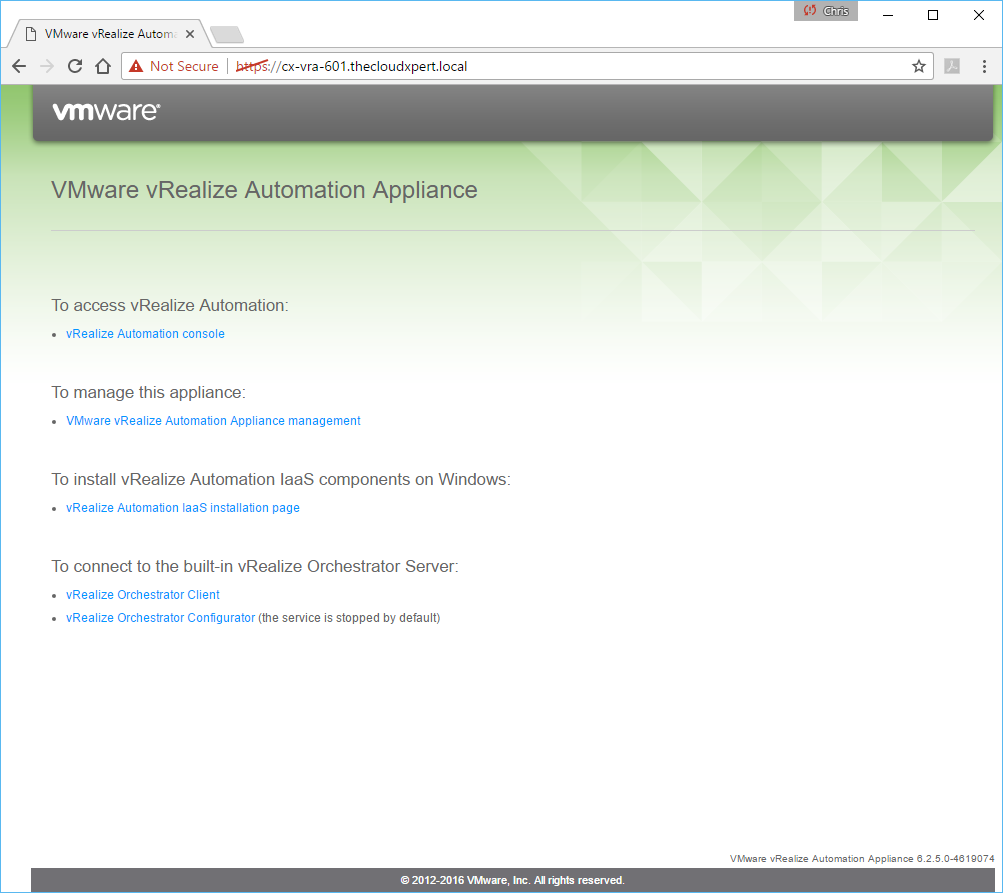
- Click the vRealize Automation IaaS installation page link (accept any certificate warnings on the website if you haven’t changed the certificates yet).
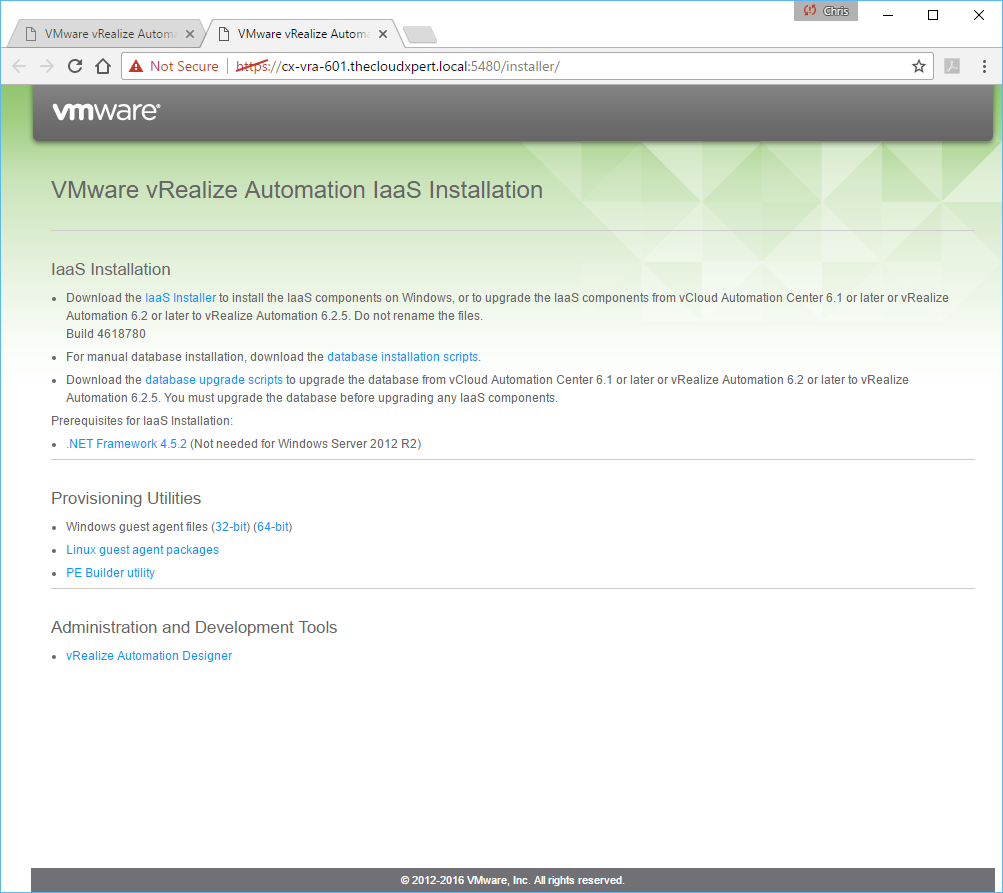
- Click the IaaS Installer link to download the relevant software.
Note:
In the same section, you can download the Manual Database creation scripts and Database upgrade scripts.
Acquire IaaS installation media from the Virtual Appliance Management Interface
To obtain the IaaS installation media through the VAMI, you will need to complete the following steps:
- Navigate to the VAMI interface of the appliance (
https://vra-appliance.fqdn:5480)
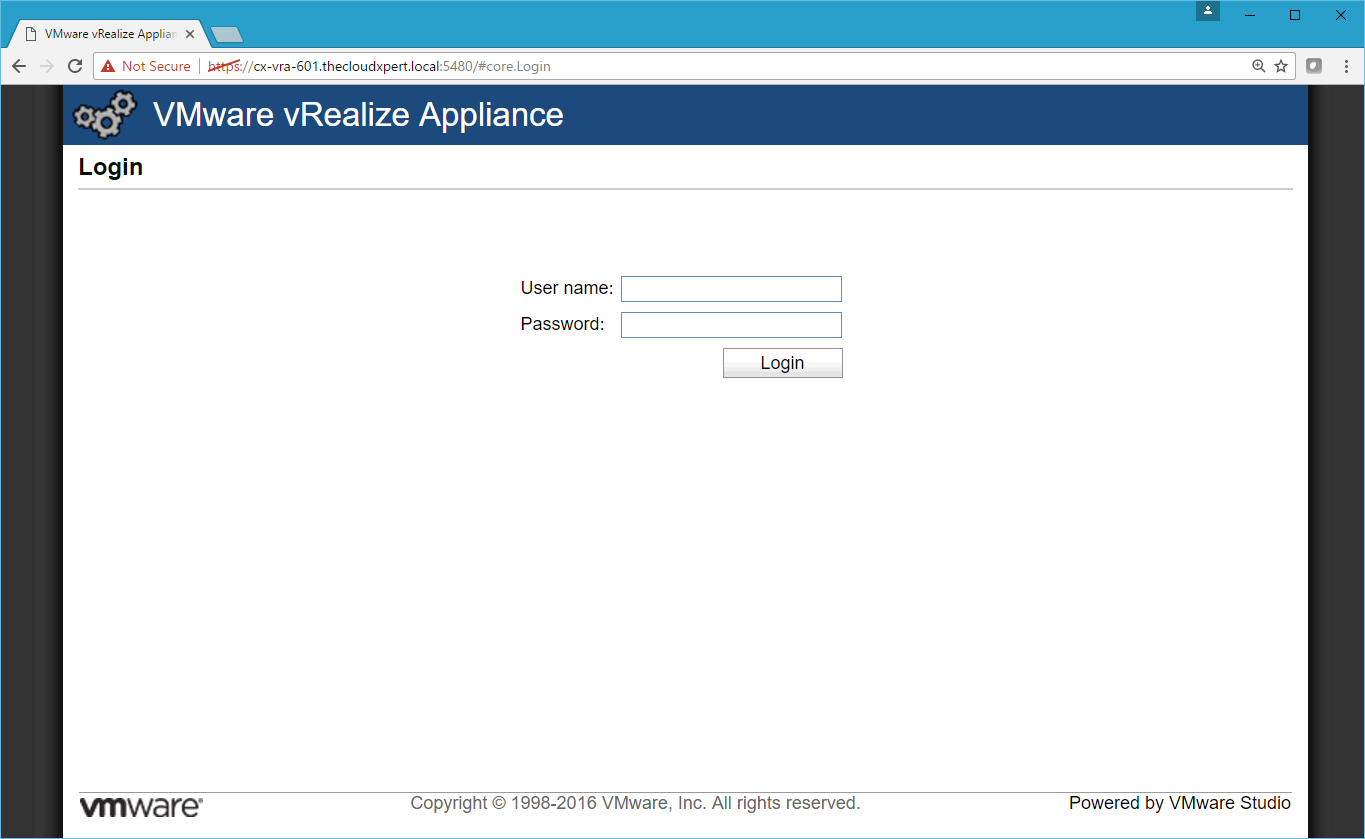
- Log into the VAMI interface using the user name
rootand password (defined as part of the deployment of the OVA).
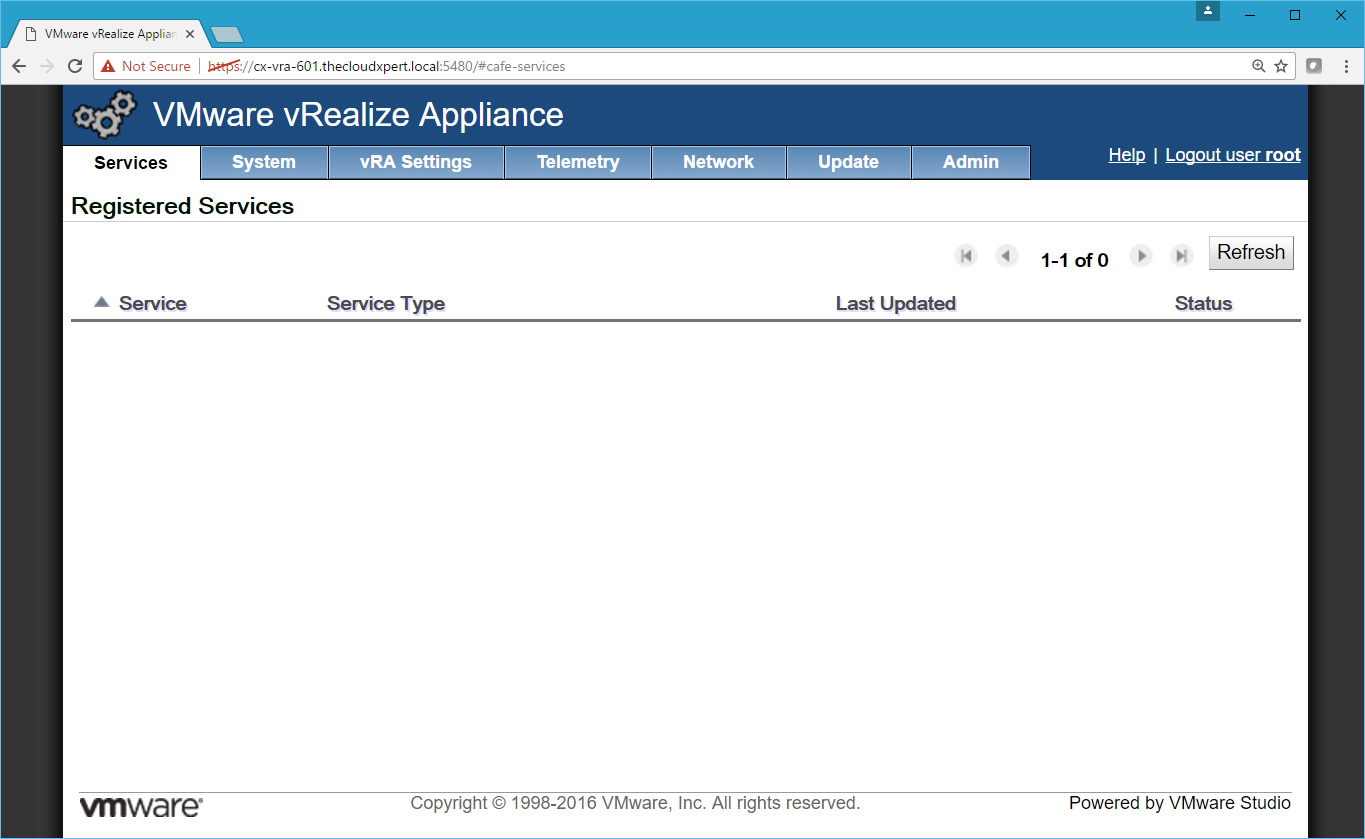
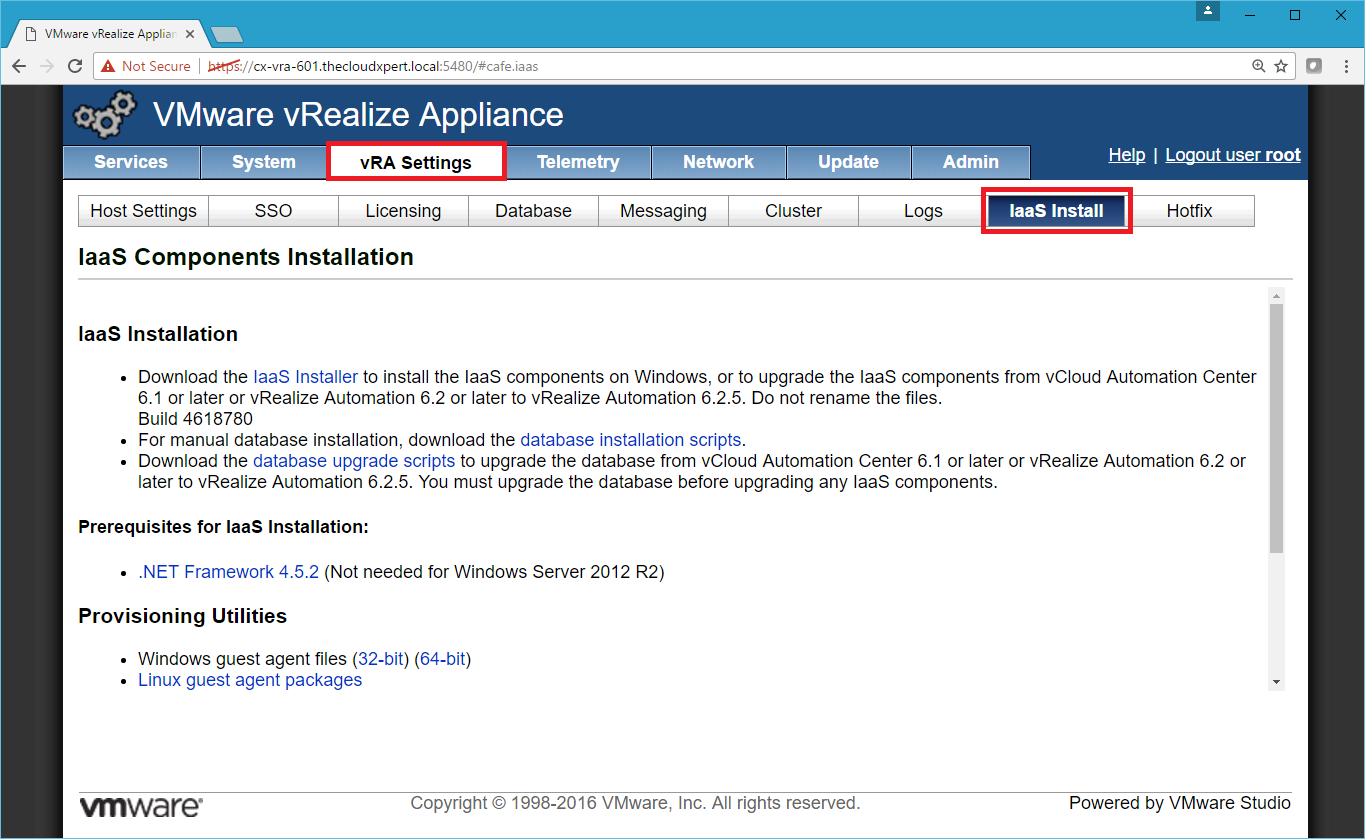
- Select the vRA Settings Tab and then select IaaS Install Tab.
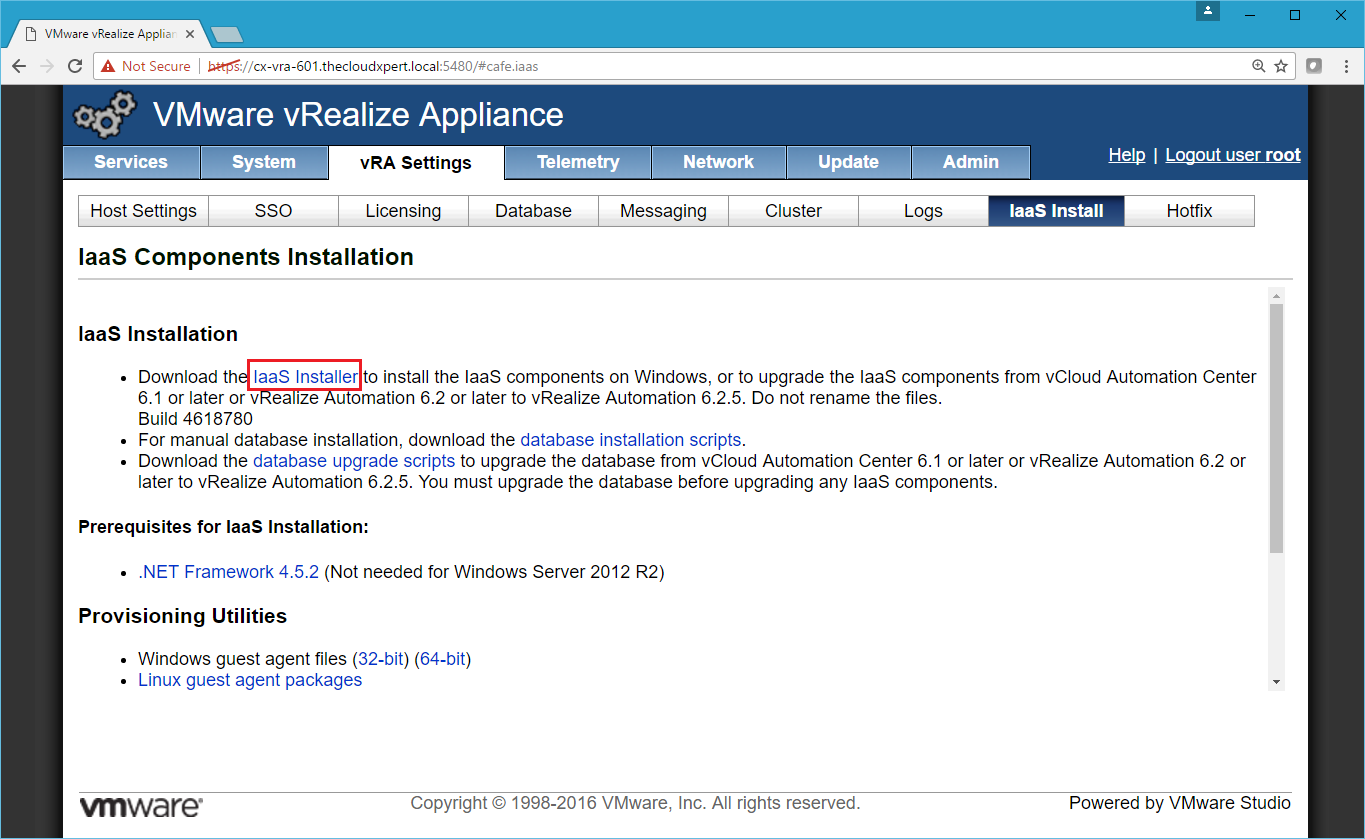
- Click the IaaS Installer link to download the IaaS Installer which can be used to install the Infrastructure As a Service components (Web, Manager, DEMS and Agents) onto the Windows Servers in the deployment.
Note:
In the same section, you can download the Manual Database creation scripts and Database upgrade scripts.
Published on 24 January 2017 by Christopher Lewis. Words: 296. Reading Time: 2 mins.
Share this article on:
Related Post(s):
- HOWTO: Configure the vRealize Automation 6.x Appliance(s) (Distributed Install) ()
- HOWTO: Create a vRealize Automation 6.x vSphere Linked-Clone Blueprint ()
- VCAP6-CMA Deploy - Objective 1.5: Create Fabric Groups utilizing Reservations and Reservation Policies ()
- VCAP6-CMA Deploy - Objective 2.2: Create/Modify a Business Group ()
- VCAP6-CMA Deploy - Objective 1.4: Configure Infrastructure/Cloud-based Endpoints ()
About the Author:

Name: Christopher Lewis
Twitter/X: thecloudxpert
Role: Domain Expert - VCF Automation & VCF Operations
Company: Broadcom
Recent Posts by Christopher Lewis:
Blog Categories:
vmware260
certification91
vrealize automation80
vcap48
nsx45
nsx v41
vmworld36
vrealize suite lifecycle manager20
vrealize suite14
vrealize orchestrator13
aria automation9
general9
vexpert9
vmware aria automation9
vsphere9
powercli8
microsoft7
active directory6
powershell6
windows6
certificate authority5
certificates5
vcf5
vmug5
vmware aria operations5
vrealize operations manager5
vsan5
vcenter4
vmware cloud3
aria operations2
aws2
home lab2
vcap62
vcix2
vmware explore2
vmware identity manager2
vrealize business2
Top Tags:
vmware 99+
vrealize automation 74
vcap6 cma 48
vcap6 45
nsx v 43
vcap6 nv 37
vcix6 nv 36
vmworld 35
howto 33
barcelona 24
vrealize orchestrator 21
vrslcm 20
vexpert 19
api 18
vmworld 2016 13
vra 13
certificates 12
vmware aria 12
vsphere 12
vrealize suite lifecycle manager 11
multi tenancy 9
vcap 9
vmware aria automation 9
vmworld 2017 9
platform services controller 8
powercli 8
vmug 8
vrealize operations 8
certification 7
microsoft 7
powershell 7
vsan 7
active directory 6
psc 6