




Warning! The content within this article is over 36 months old and, therefore, may be out of date.
HOWTO: Configure a vRealize Automation 6 Advanced Services Endpoint for vCenter Server
Share this article on:



VMware vRealize Automation vRealize Orchestrator VCAP6 VCAP6-CMA
Published on 7 February 2017 by Christopher Lewis. Words: 244. Reading Time: 2 mins.
Introduction
This post is a part of a series of posts for preparation for the VCAP6-CMA Deploy exam. For the full exam prep resources check here .
In this post we are covering the configuration of the Advanced Services Endpoint for vCenter Server.
Prerequisite Steps
- A fully deployed vRealize Automation implementation.
- An external Orchestrator deployment (see HOWTO: Deploy the vRealize Orchestrator 6.x Appliance for vRealize Automation )
Step by Step Guide
- Navigate to and Log into the vRealize Automation Tenant Portal as a Tenant Administration user.
- Navigate to Administration > Orchestration Configuration > Endpoints.
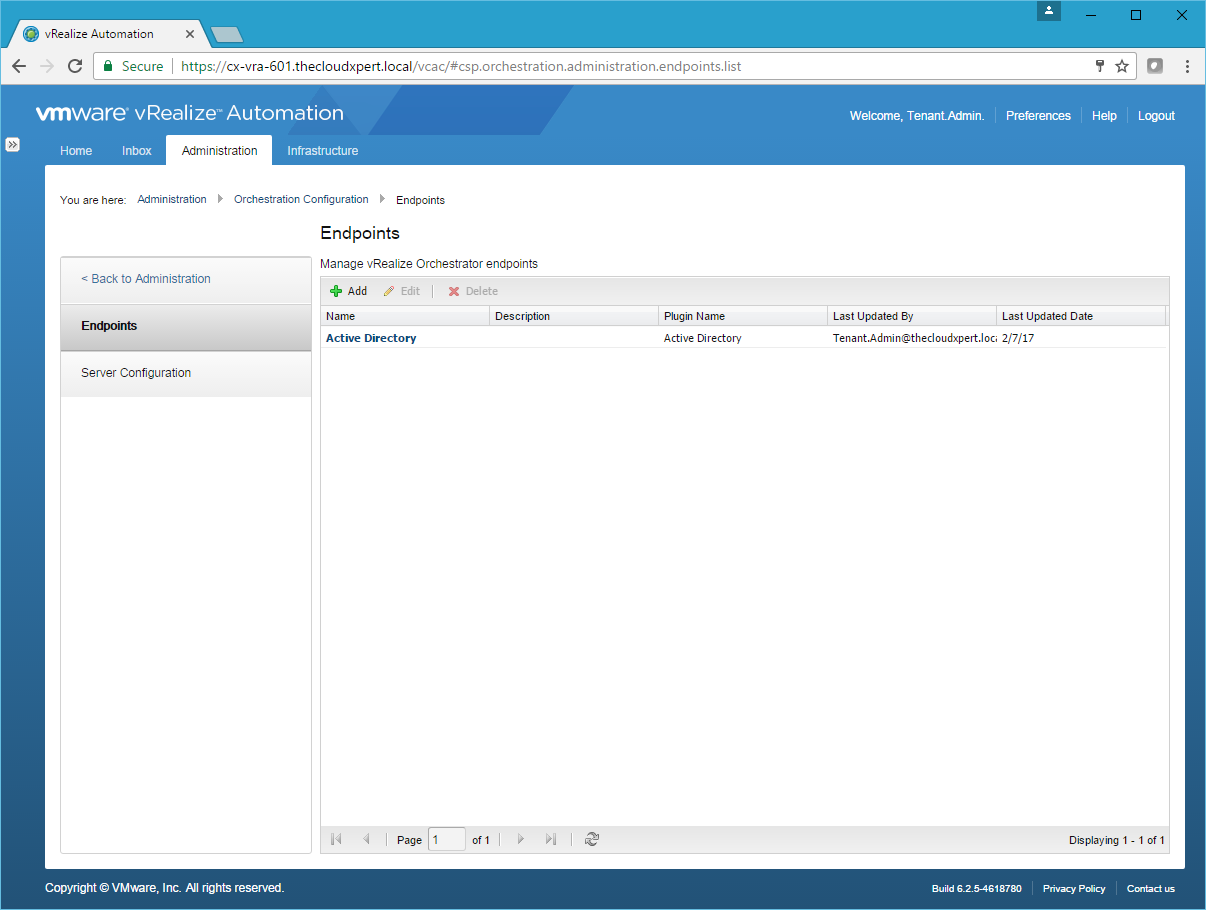
- Click Add.
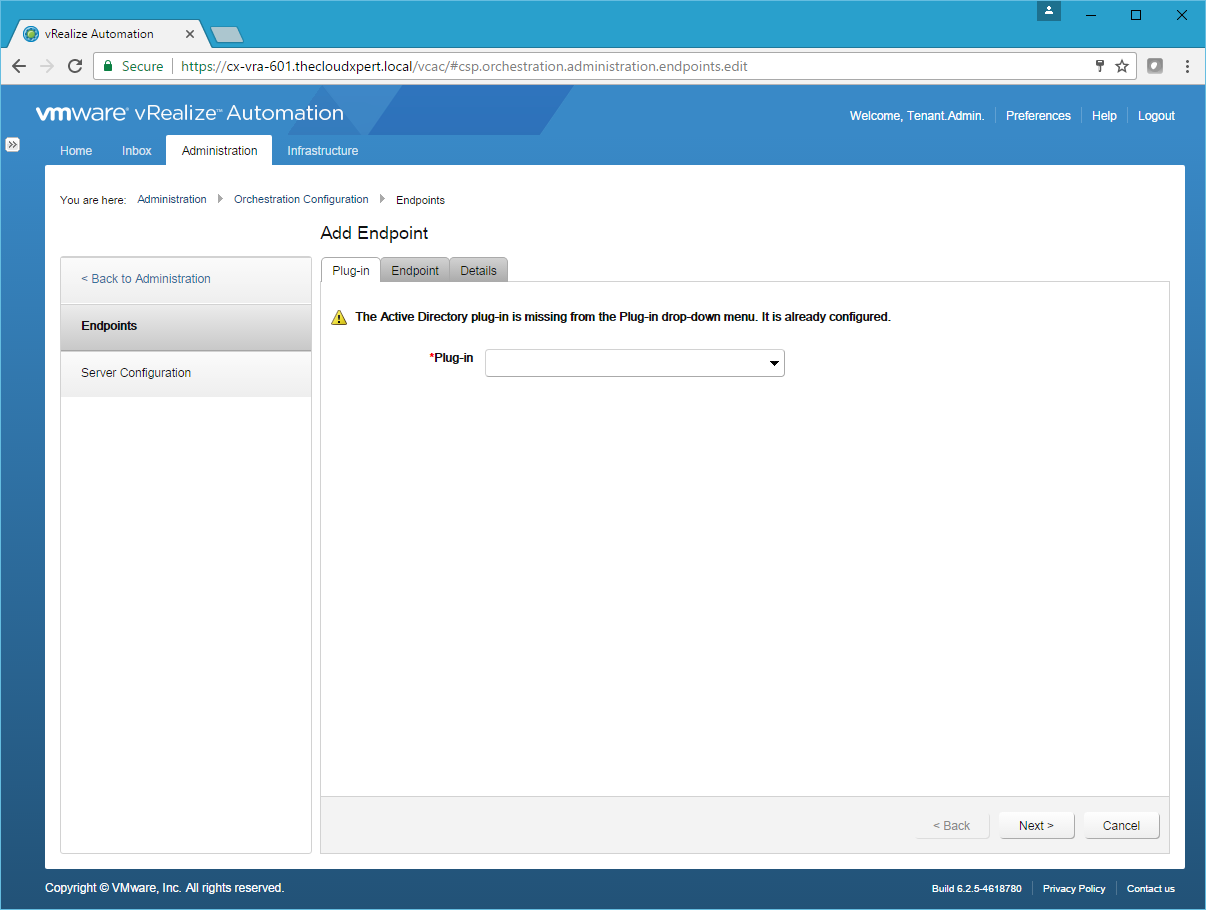
Note:
You will only get the Active DIrectory plug-in warning if you have already configured that plug-in.
- Select vCenter Server from the Plug-in dropdown.
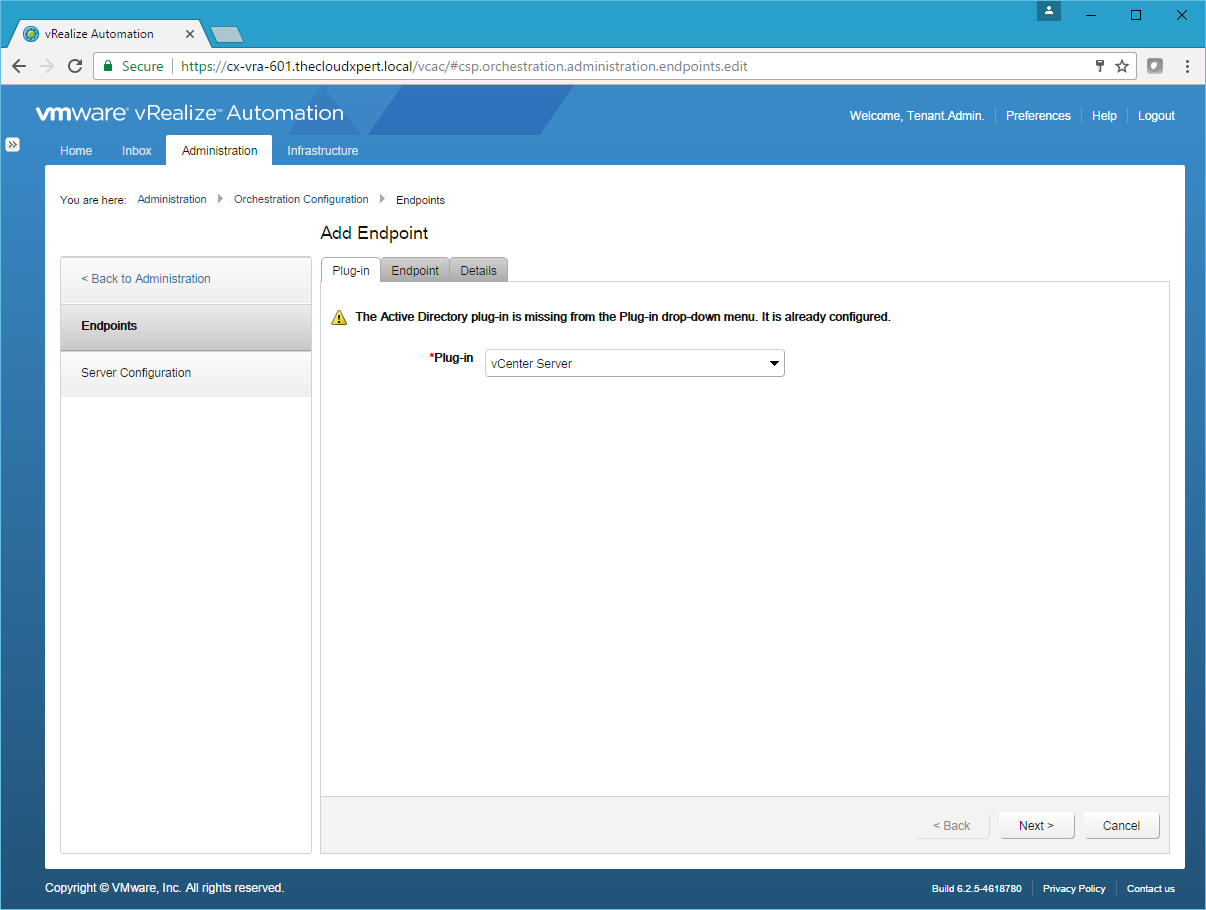
- Click Next.
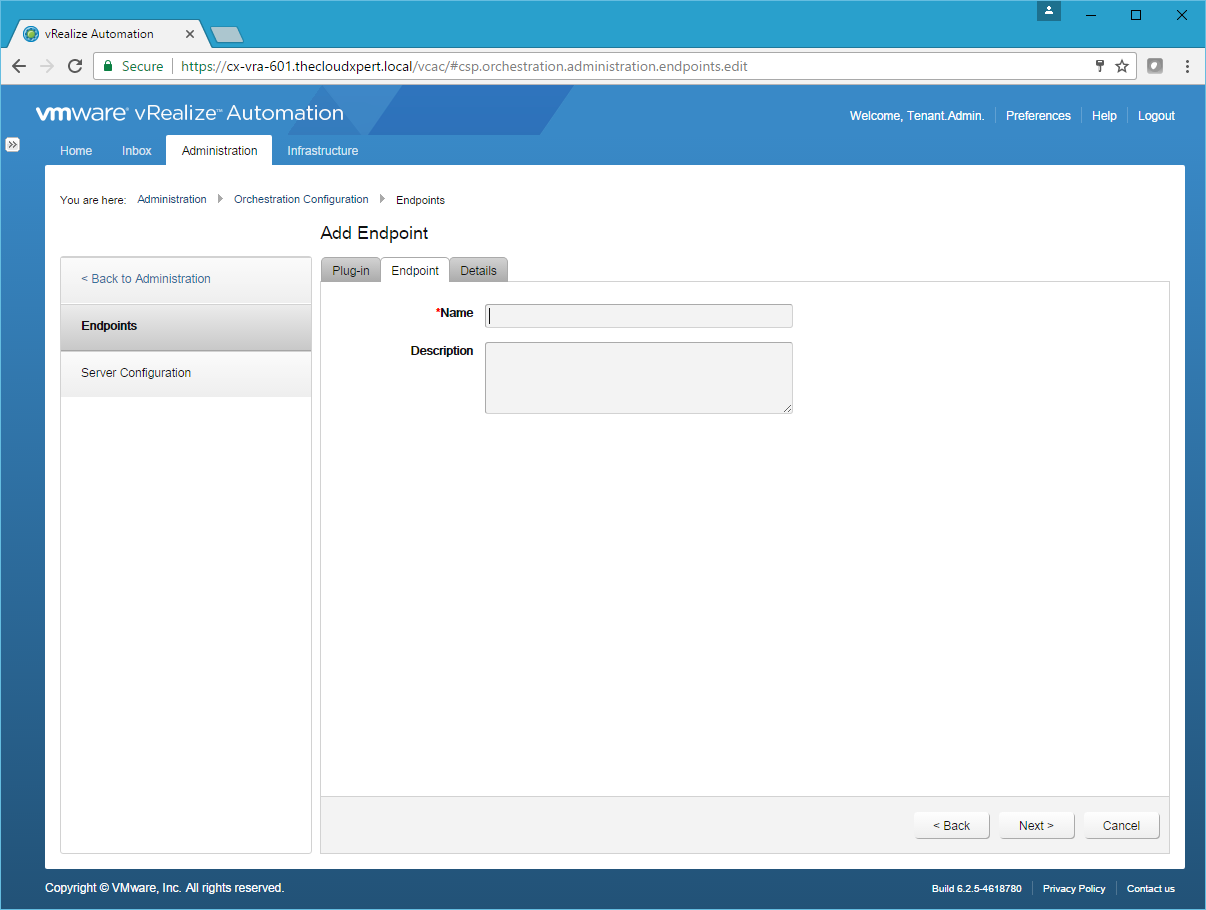
- Type the Name of the endpoint into the Name text field and (optionally) provide a Description.
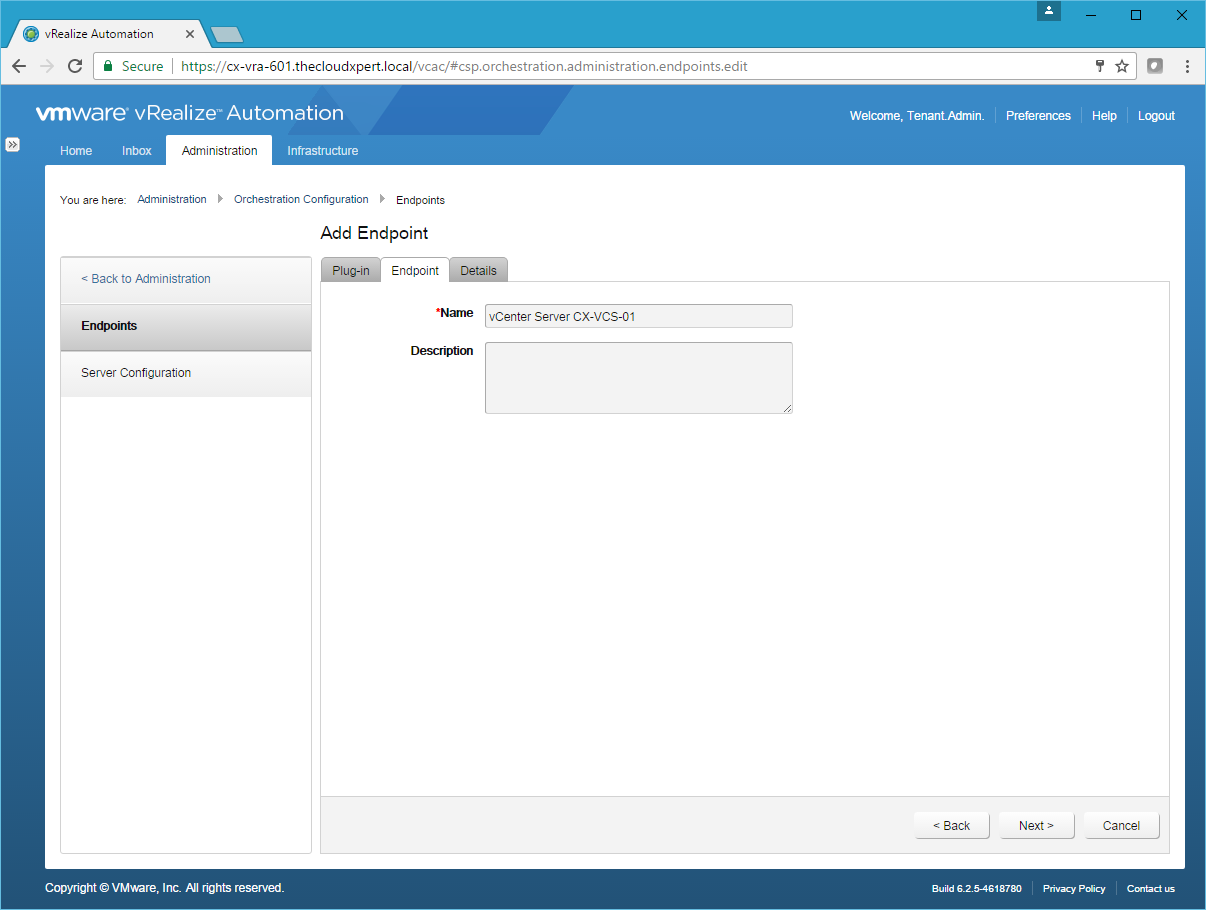
- Click Next.
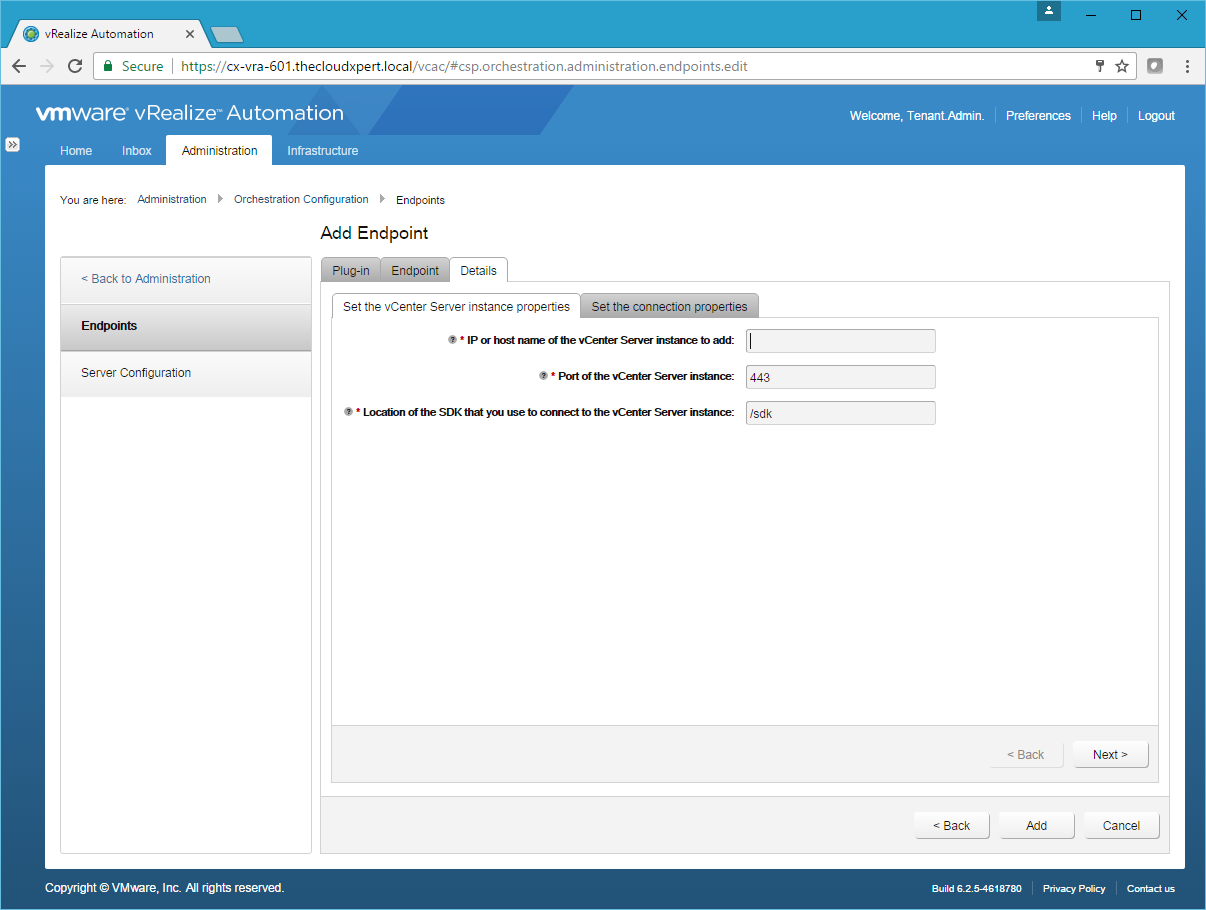
- Type the FQDN of the vCenter Server into the IP or host name of the vCenter Server instance to add text field. Leave all other settings as their defaults.
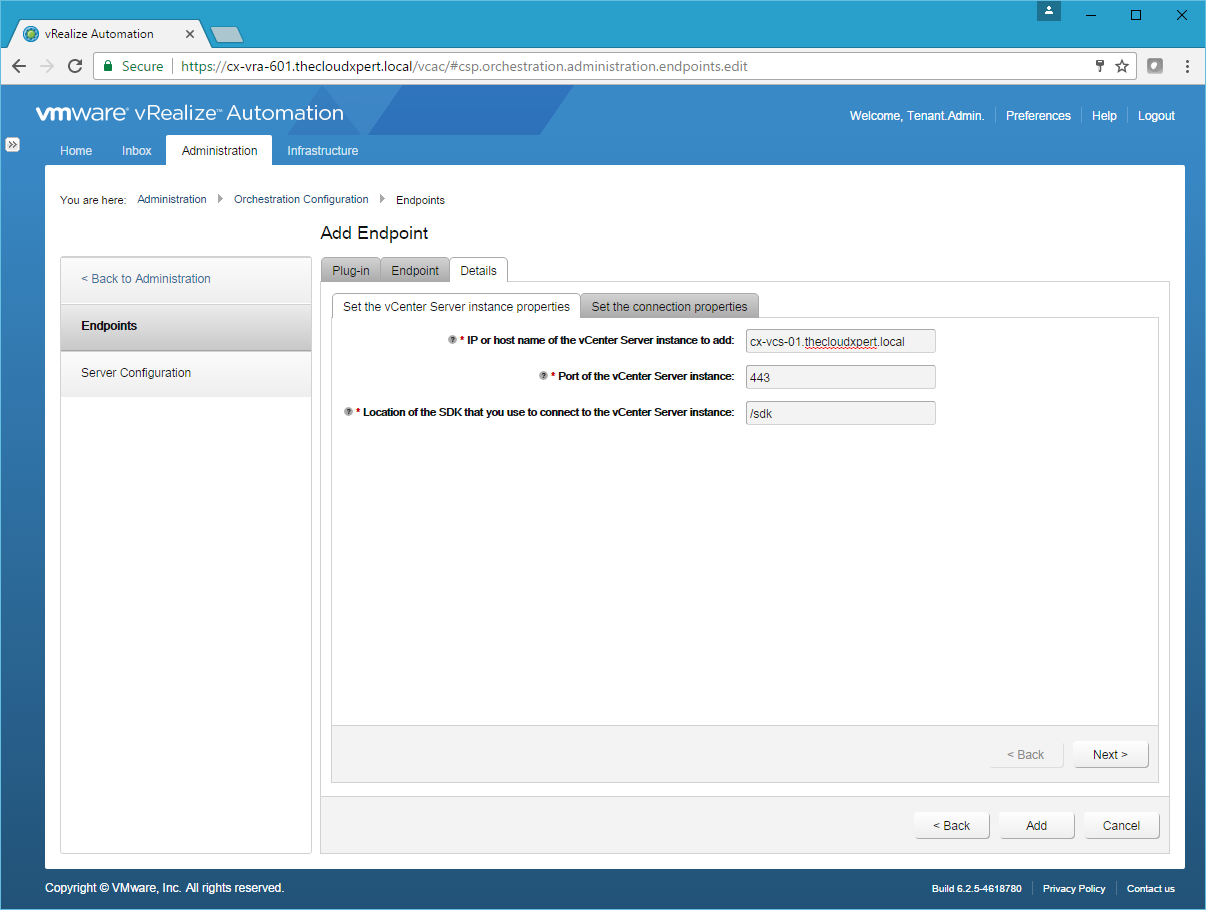
- Click Next.
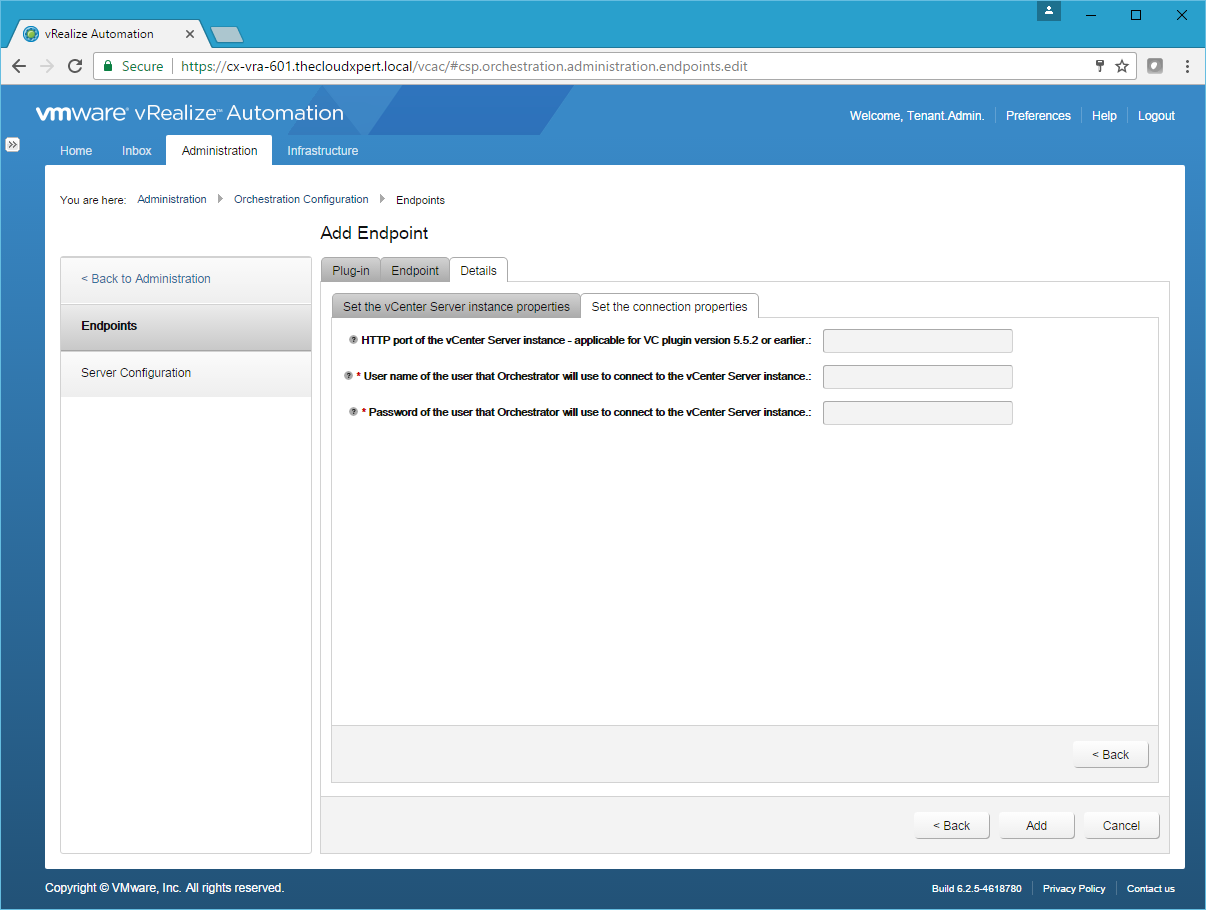
- Enter the Username and Password of a user that Orchestrator can use.
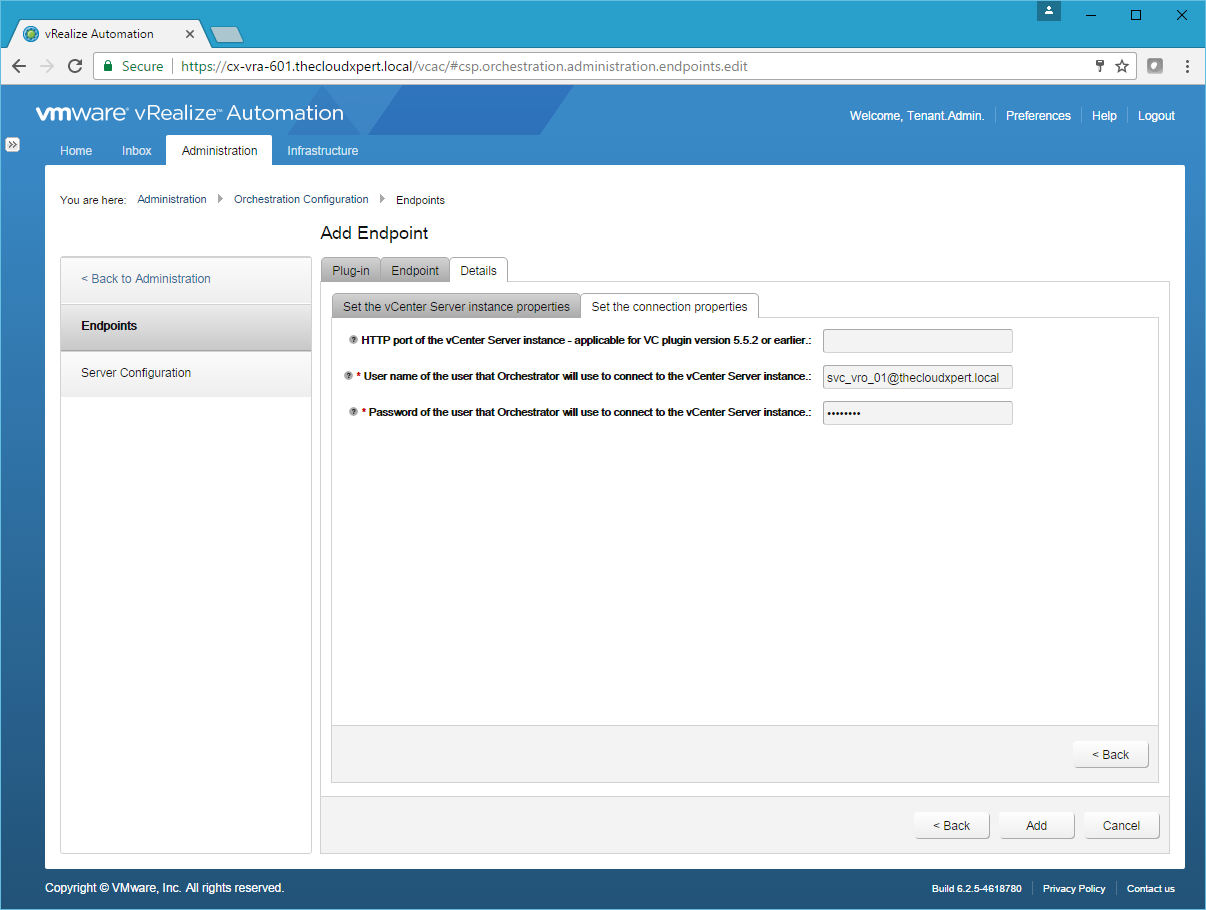
Note:
The user must be a valid user with privileges to manage vCenter Server extensions and a set of custom defined privileges.
- Click Add.
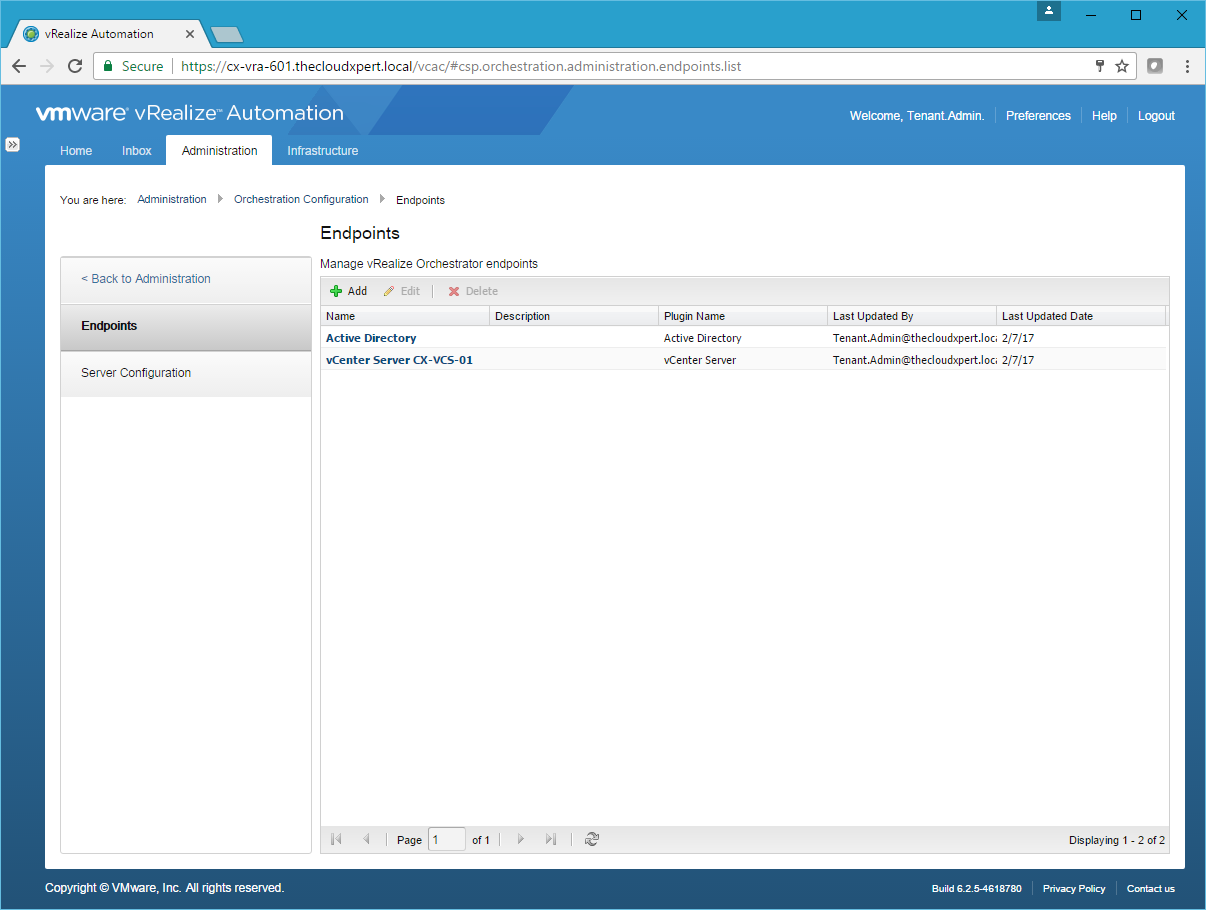
Note:
If you have already configured vRO to connect to vCenter using the Add a vCenter Server Instance workflow, you will get an error. You can run the Remove a vCenter Server Instance workflow and then retry.
Published on 7 February 2017 by Christopher Lewis. Words: 244. Reading Time: 2 mins.
Share this article on:
Related Post(s):
- VCAP6-CMA Deploy - Objective 6.1: Configure Advanced Service Designer ()
- HOWTO: Configure a vRealize Automation 6 Advanced Services Endpoint for Active Directory ()
- HOWTO: Deploy the vRealize Orchestrator 6.x Appliance for vRealize Automation ()
- VCAP6-CMA Deploy - Objective 5.2 - Modify a Blueprint to invoke a Workflow during a Lifecycle Change ()
- VCAP6-CMA Deploy - Objective 4.3: Manage Custom Properties and Build Profiles ()
About the Author:

Name: Christopher Lewis
Twitter/X: thecloudxpert
Role: Domain Expert - VCF Automation & VCF Operations
Company: Broadcom
Recent Posts by Christopher Lewis:
Blog Categories:
vmware260
certification91
vrealize automation80
vcap48
nsx45
nsx v41
vmworld36
vrealize suite lifecycle manager20
vrealize suite14
vrealize orchestrator13
aria automation9
general9
vexpert9
vmware aria automation9
vsphere9
powercli8
microsoft7
active directory6
powershell6
windows6
certificate authority5
certificates5
vcf5
vmug5
vmware aria operations5
vrealize operations manager5
vsan5
vcenter4
vmware cloud3
aria operations2
aws2
home lab2
vcap62
vcix2
vmware explore2
vmware identity manager2
vrealize business2
Top Tags:
vmware 99+
vrealize automation 74
vcap6 cma 48
vcap6 45
nsx v 43
vcap6 nv 37
vcix6 nv 36
vmworld 35
howto 33
barcelona 24
vrealize orchestrator 21
vrslcm 20
vexpert 19
api 18
vmworld 2016 13
vra 13
certificates 12
vmware aria 12
vsphere 12
vrealize suite lifecycle manager 11
multi tenancy 9
vcap 9
vmware aria automation 9
vmworld 2017 9
platform services controller 8
powercli 8
vmug 8
vrealize operations 8
certification 7
microsoft 7
powershell 7
vsan 7
active directory 6
psc 6