




Warning! The content within this article is over 36 months old and, therefore, may be out of date.
HOWTO: Install PowerCLI 6.5.1 - As easy as 1-2-3!
Share this article on:



PowerCLI PowerShell VMware
Published on 24 April 2017 by Christopher Lewis. Words: 200. Reading Time: 1 mins.
Introduction
This is a very quick post on the latest version of VMware’s PowerCLI, v6.5.1. See VMware’s Official Blog here .
This is now a MODULE available from the PowerShell Gallery
which is #Awesome because it has been a major annoyance not being able just to type Install-Module PowerCLI to install it. Instead you had to go through a standard windows install package in the past.
Step By Step Guide
Overview
- Remove existing PowerCLI installation.
- Open a Administrative PowerShell window.
- Run
Install-Module VMware.PowerCLI -Force -confirm:$false
Detailed Steps
- Firstly, you need to remove any version of PowerCLI that you currently have installed using Add/Remove Programs on your device.
- Open a Administrative Powershell Prompt (right click on the PowerShell icon and select Run As Administrator).
- If prompted by UAC, click Yes to confirm
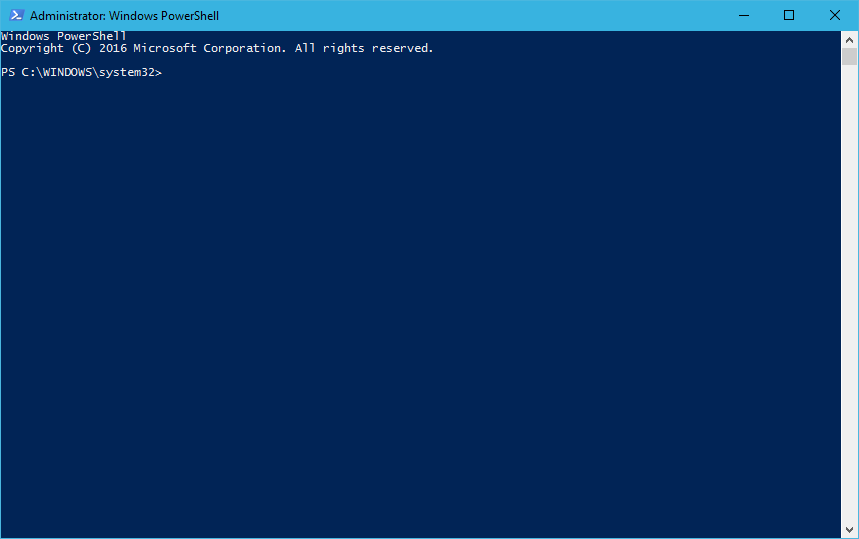
- Finally, type:
Install-Module -Name VMware.PowerCLI -Confirm:$false -Force
- press Enter.
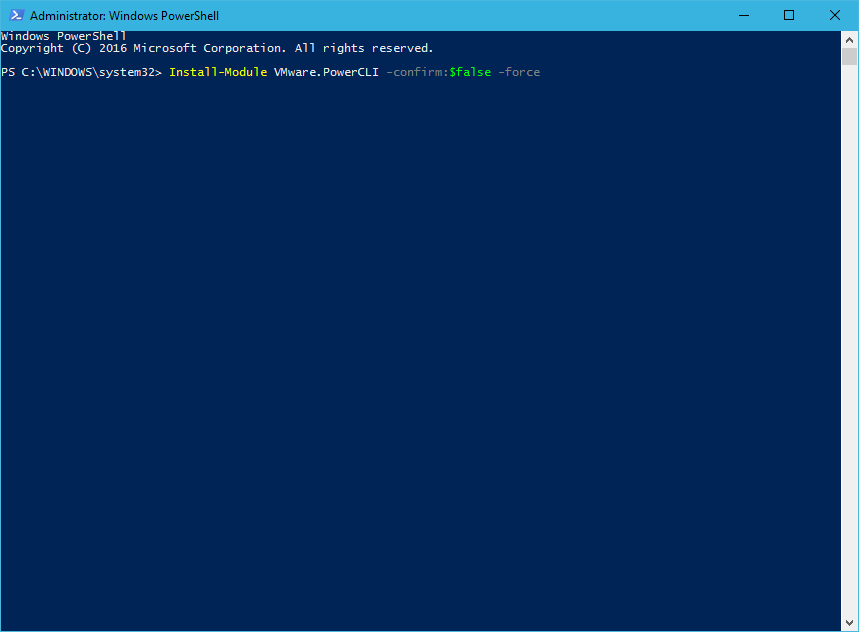
Note:
You can optionally add additional settings/switches, run
Get-Help Install-Module for more information but I use the -Force and -confirm:$false to ensure no additional prompts are required as the PowerShell Gallery is currently an Untrusted repository Source.And there you have it… it is as simple 1-2-3…
There are some cool new cmdlets so let’s get on with using them!
Published on 24 April 2017 by Christopher Lewis. Words: 200. Reading Time: 1 mins.
Share this article on:
Related Post(s):
- HOWTO: Automate the installation of the External Platform Services Controller using PowerCLI & JSON - Part 2 ()
- HOWTO: Automate the installation of the External Platform Services Controller using PowerCLI & JSON - Part 1 ()
- Book Review: VMware vSphere PowerCLI Reference: Automating vSphere Administration - 2nd Edition ()
- HOWTO: Create vRealize Automation User Role in vCenter using PowerCLI ()
- HOWTO: Power On a VMware Virtual Machine with PowerCLI (PowerCLI 101) ()
About the Author:

Name: Christopher Lewis
Twitter/X: thecloudxpert
Role: Domain Expert - VCF Automation & VCF Operations
Company: Broadcom
Recent Posts by Christopher Lewis:
Blog Categories:
vmware260
certification91
vrealize automation80
vcap48
nsx45
nsx v41
vmworld36
vrealize suite lifecycle manager20
vrealize suite14
vrealize orchestrator13
aria automation9
general9
vexpert9
vmware aria automation9
vsphere9
powercli8
microsoft7
active directory6
powershell6
windows6
certificate authority5
certificates5
vcf5
vmug5
vmware aria operations5
vrealize operations manager5
vsan5
vcenter4
vmware cloud3
aria operations2
aws2
home lab2
vcap62
vcix2
vmware explore2
vmware identity manager2
vrealize business2
Top Tags:
vmware 99+
vrealize automation 74
vcap6 cma 48
vcap6 45
nsx v 43
vcap6 nv 37
vcix6 nv 36
vmworld 35
howto 33
barcelona 24
vrealize orchestrator 21
vrslcm 20
vexpert 19
api 18
vmworld 2016 13
vra 13
certificates 12
vmware aria 12
vsphere 12
vrealize suite lifecycle manager 11
multi tenancy 9
vcap 9
vmware aria automation 9
vmworld 2017 9
platform services controller 8
powercli 8
vmug 8
vrealize operations 8
certification 7
microsoft 7
powershell 7
vsan 7
active directory 6
psc 6