




Replacing the vRealize Automation 7.3 IaaS Web Certificate

This is a
series
of posts covering the replacement of vRealize Automation SSL Certificates. This post cover replacing the vRealize Automation IaaS Web Service Certificate.
Written by Christopher Lewis on December 11, 2017 .
Certificates
VMware
vRealize Automation
vRealize Orchestrator
Written by Christopher Lewis on December 11, 2017 .
Replacing the vRealize Automation 7.3 Appliance Certificate
This is a
series
of posts covering the replacement of vRealize Automation SSL Certificates. This post cover replacing the vRealize Automation Appliance Certificate.
Written by Christopher Lewis on December 11, 2017 .
Certificates
VMware
vRealize Automation
vRealize Orchestrator
Written by Christopher Lewis on December 11, 2017 .
Replacing SSL Certificates in vRealize Automation 7.3
In this series of posts we will walk through the process of upgrading all of the vRealize Automation Certificates. We will be moving from self-signed certificates that were deployed during the installation, to certificates that have been provided by an Enterprise Certificate Authority (CA).
Written by Christopher Lewis on December 11, 2017 .
Certificates
VMware
vRealize Automation
vRealize Orchestrator
Written by Christopher Lewis on December 11, 2017 .
VMware vExpert Cloud 2017
The VMware vExpert Cloud 2017 announcement has been released, and I am humbled to be recognised for community contributions in the VMware Cloud space.
Written by Christopher Lewis on October 27, 2017 .
Cloud
vExpert
vExpert Cloud
Written by Christopher Lewis on October 27, 2017 .
VMware Cloud Services - VMware Cloud on AWS

Read all about my views on VMware Cloud on AWS (VMConAWS) in this new article
here
Written by Christopher Lewis on October 17, 2017 .
VMConAWS
VMware
VMware Cloud
Written by Christopher Lewis on October 17, 2017 .
VCAP6-NV Deploy - Objective 6.2 - Configure and Manage Universal Logical Network Objects
Objective 6.2 - Configure and Manage Universal Logical Network Objects
Objective Overview
- Create/configure Universal Logical Switches
- Create/configure Universal Distributed Logical Routers
- Configure local egress
Objective Prerequisites
The following prerequisites are assumed for this Objective:
- A working VMware vSphere 6.x environment.
- A working VMware NSX 6.x environment configured for Cross-vCenter NSX
Objective Breakdown
Create Universal Logical Switches
This is essentially the same as the creation of NSX Logical Switches (which is covered in Objective 2.1 ) except that you connect them to the Universal Transport Zone rather than a local Transport Zone. However, we’ll cover the steps again below.
Written by Christopher Lewis on October 13, 2017 .
VCAP6-NV Deploy - Objective 6.1 - Configure Cross vCenter VMware NSX infrastructure components
Objective 6.1 - Configure Cross vCenter VMware NSX infrastructure components
Objective Overview
- Configure NSX manager roles (Primary, Secondary, Standalone, Transit) according to a deployment plan:
- Assign Primary role to specified NSX Manager
- Assign Secondary role to specified NSX Manager(s)
- Deploy/Configure Universal Controller Cluster
- Configure Universal segment ID pools
- Create/Manage Universal transport zones
Objective Prerequisites
The following prerequisites are assumed for this Objective:
- A working VMware vSphere 6.x environment with 2 vCenters, 2 PSC configured in ELM configuration.
- A working VMware NSX 6.x Manager deployed to both sites.
Objective Breakdown
Assign Primary role to specified NSX Manager
Note:
These steps assume you are not even logged into vCenter Server. Skip the first few steps if you are!
- Using your favourite web browser, navigate to the vCenter Server login page (
https://vcenter.fqdn).
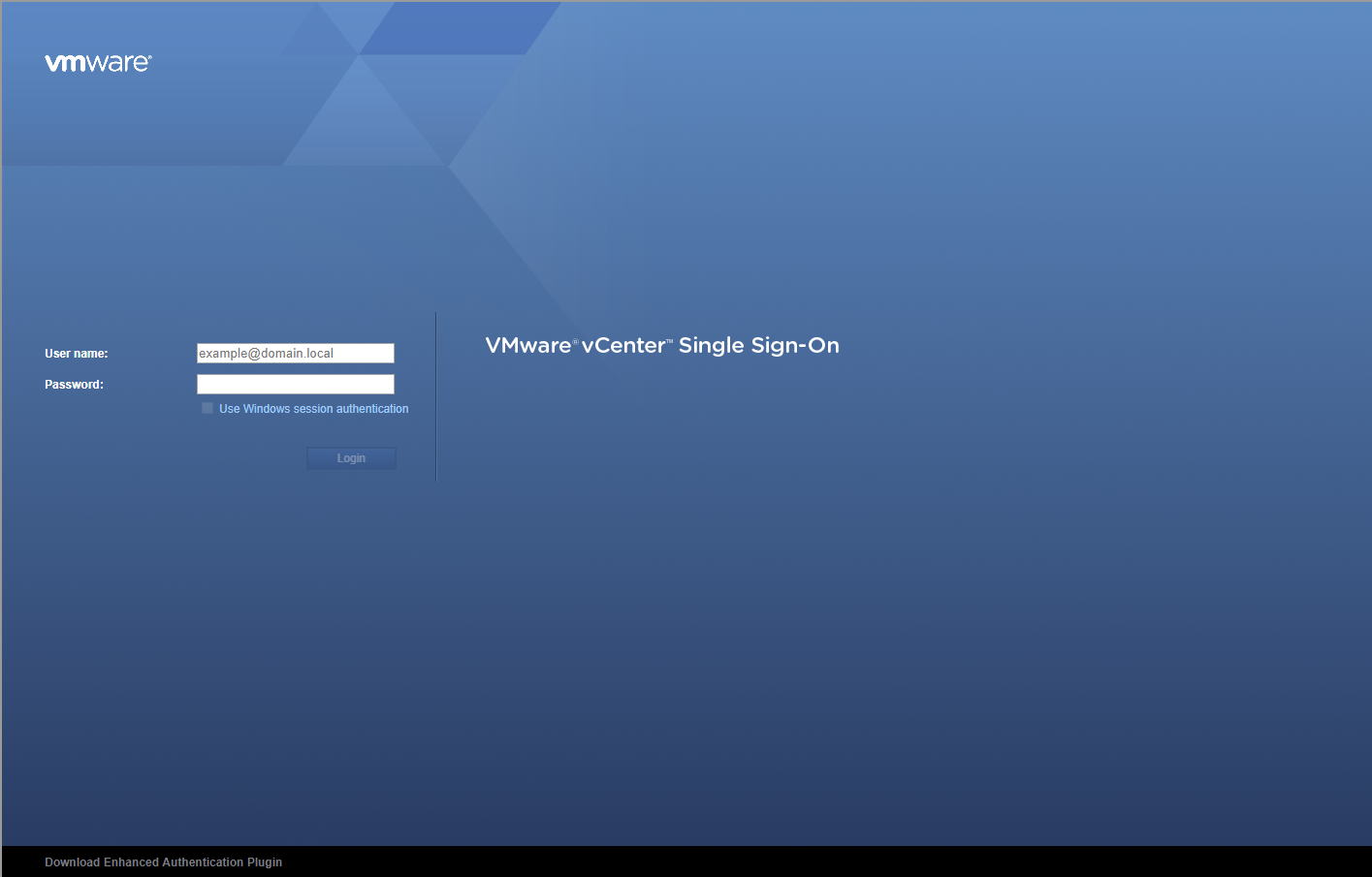
- Enter appropriate User name and Password and click Login.
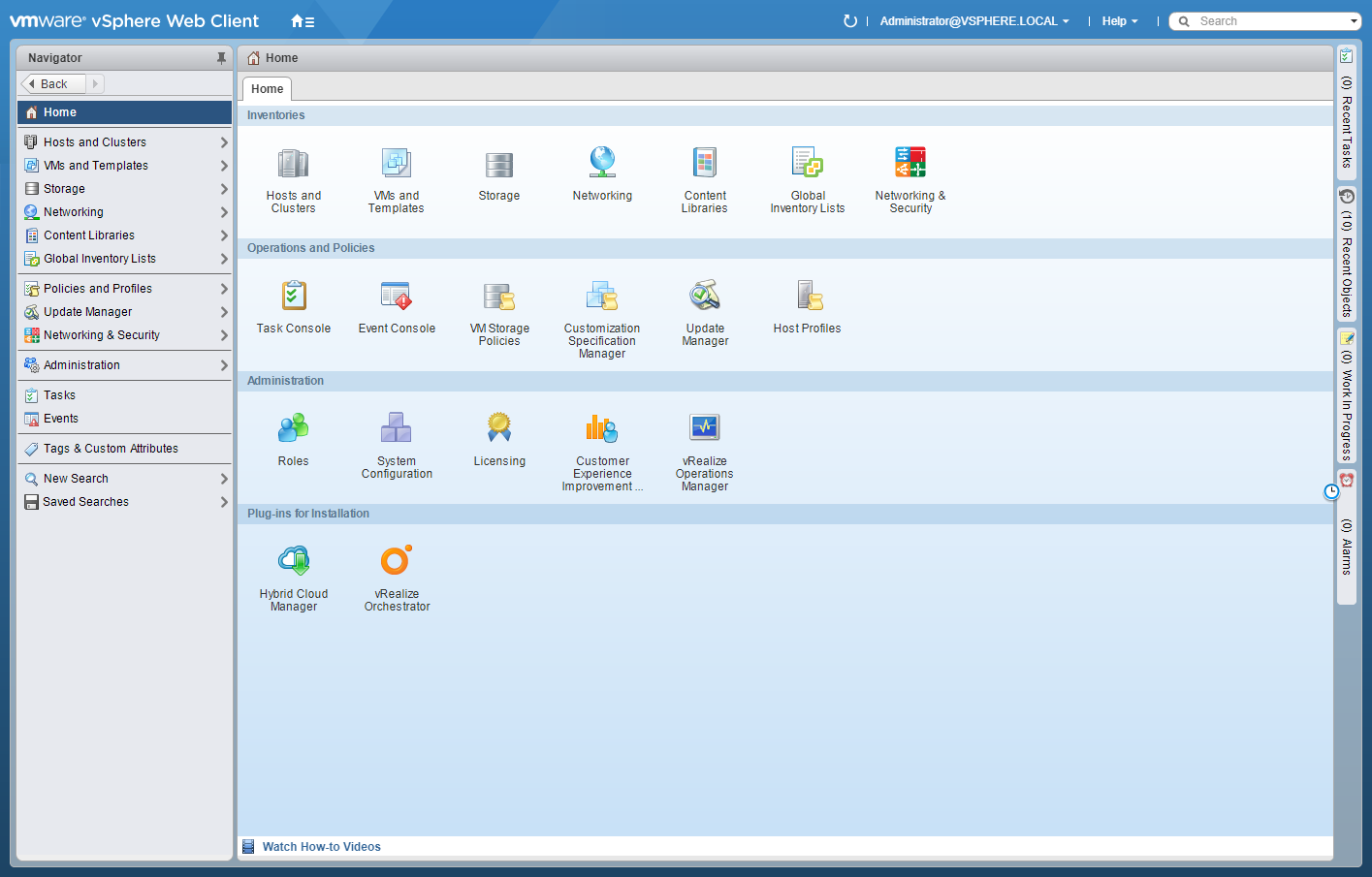
- Click Networking and Security.
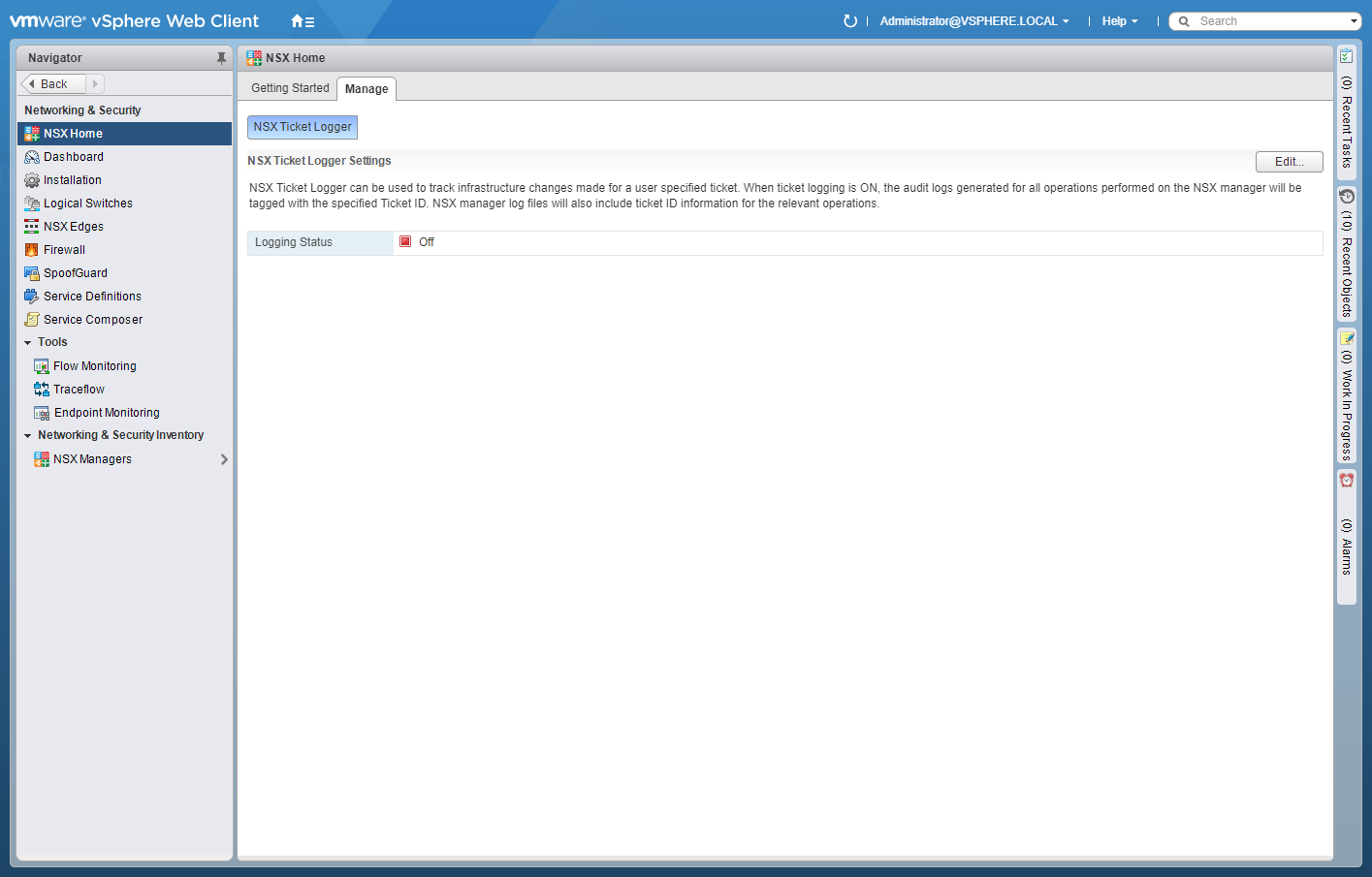
- Click Installation.
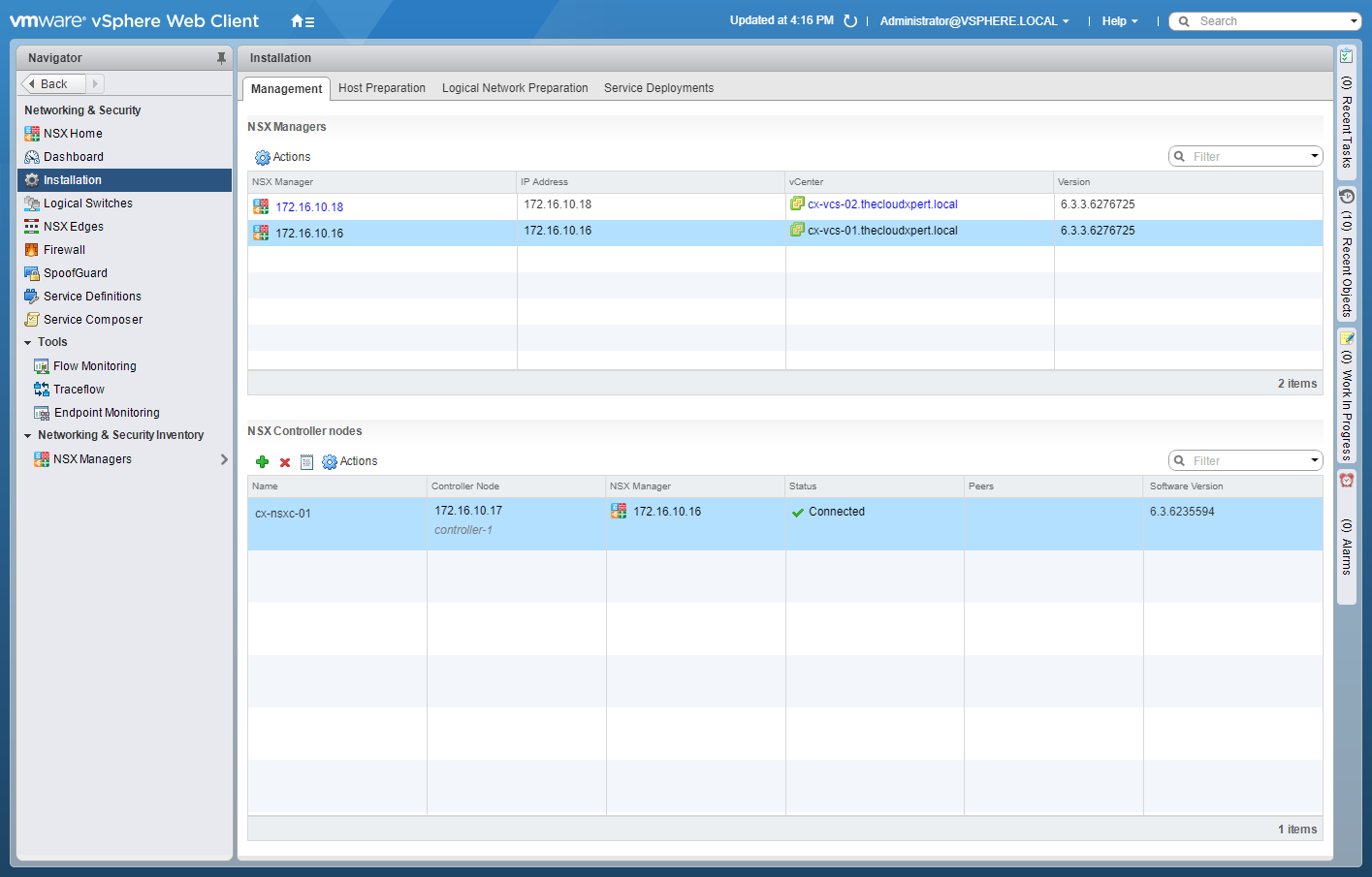
- Select the NSX Manager that you wish to promote to Primary.
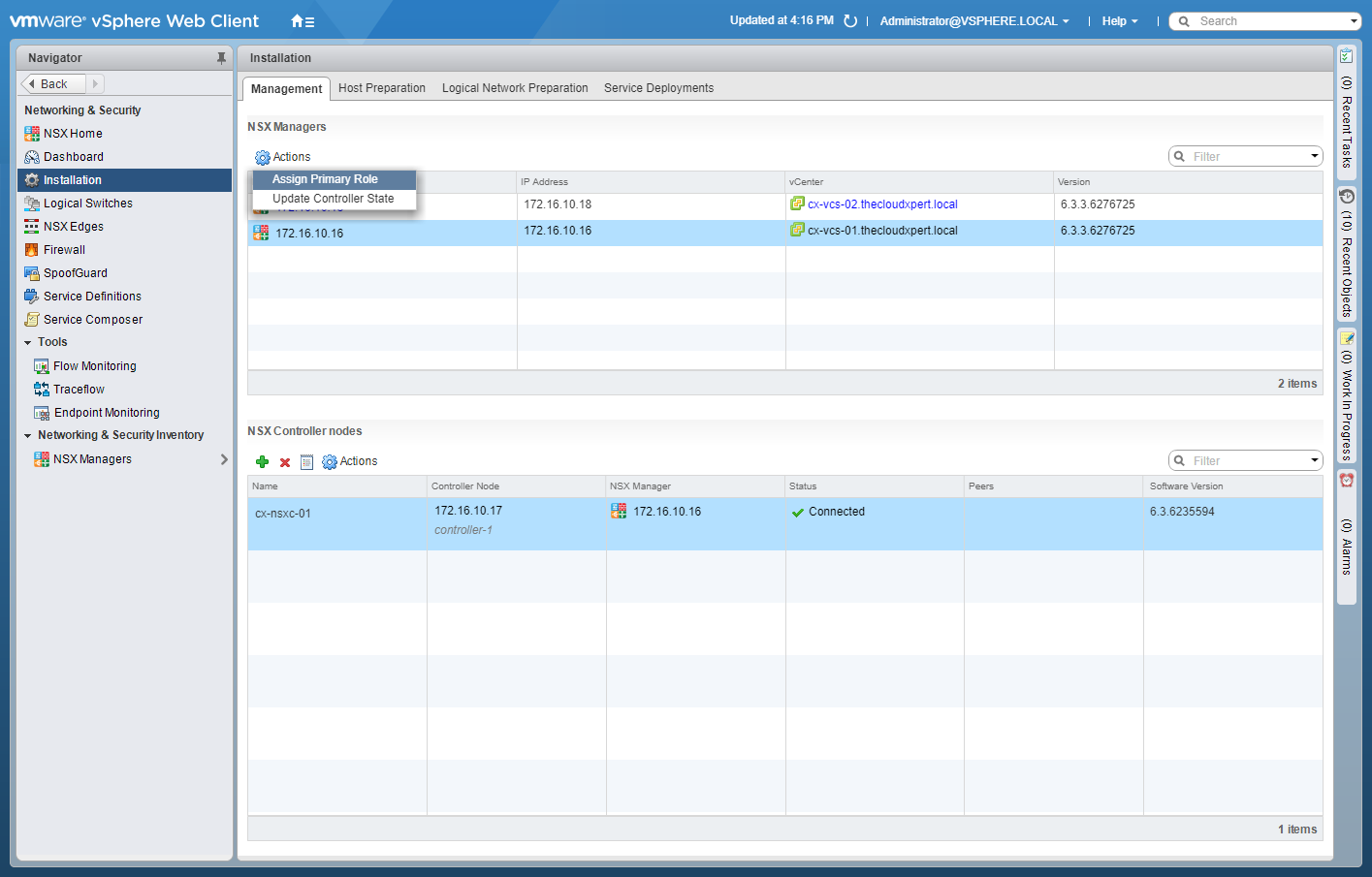
- Click Action and then select Assign Primary Role.
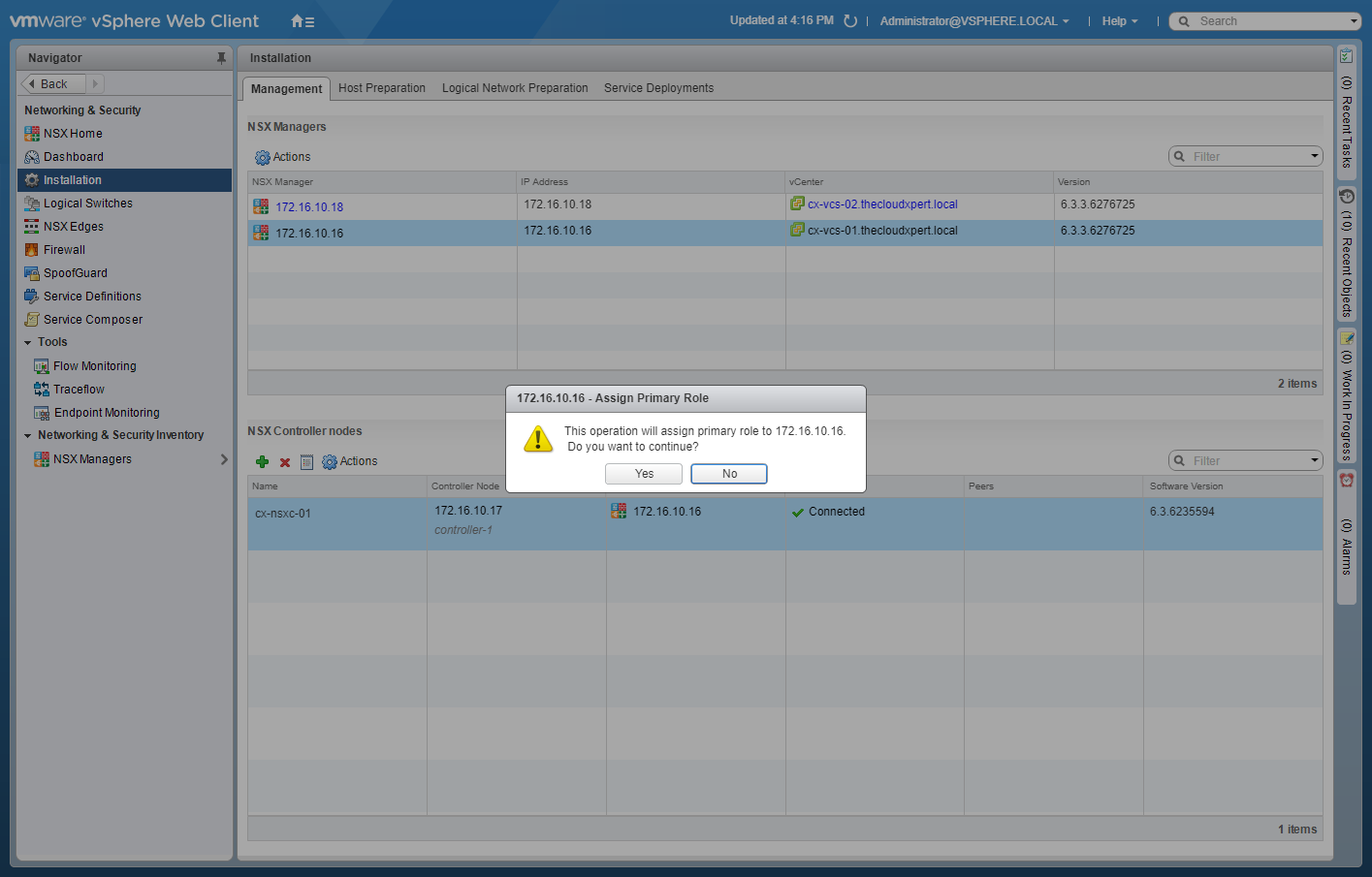
- Click Yes to Assign Primary Role.
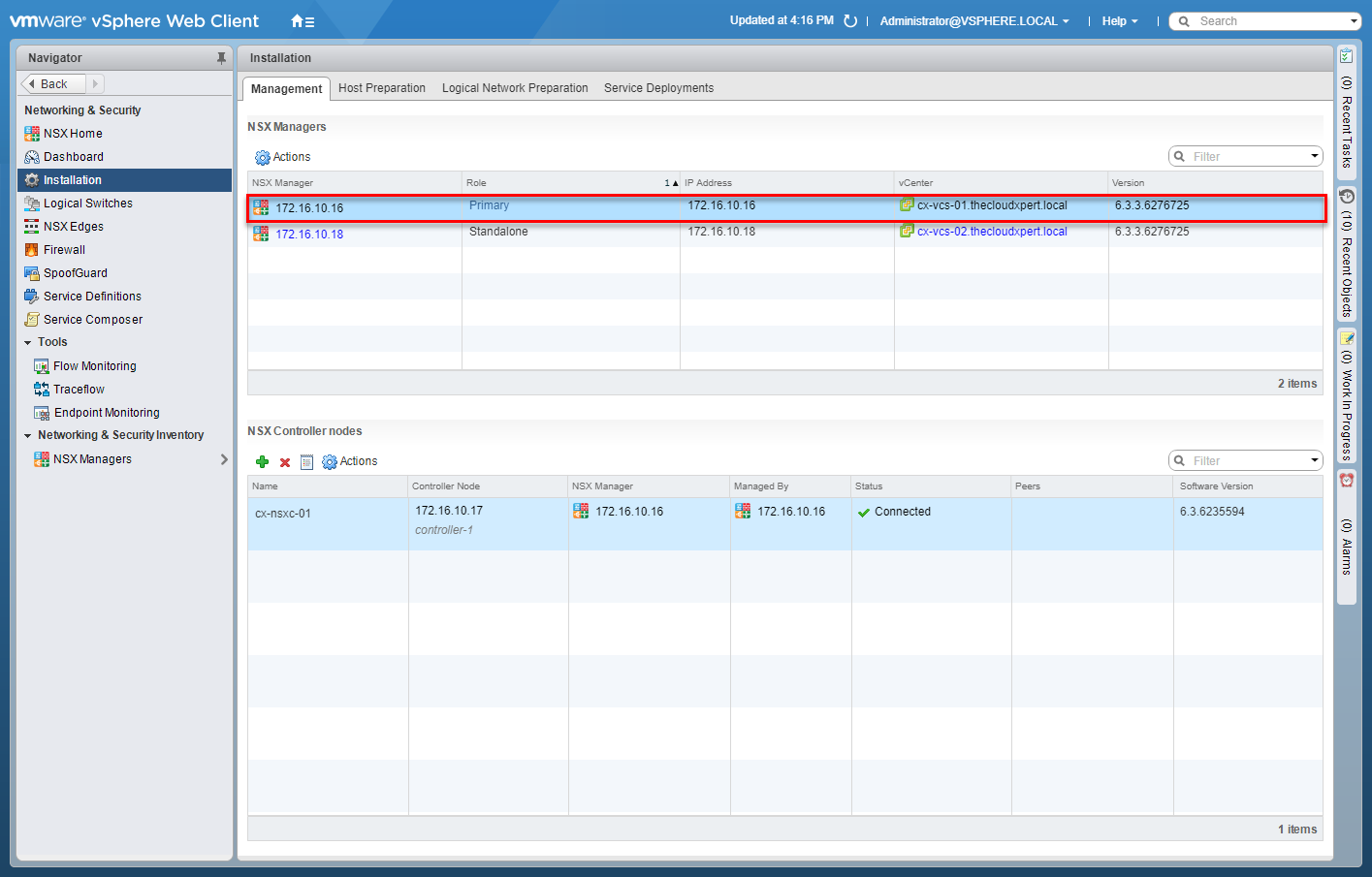
Assign Secondary role to specified NSX Manager(s)
Note:
These steps assume you are not even logged into vCenter Server. Skip the first few steps if you are!
- Using your favourite web browser, navigate to the vCenter Server login page (
https://vcenter.fqdn).
- Enter appropriate User name and Password and click Login.
- Click Networking and Security.
- Click Installation.
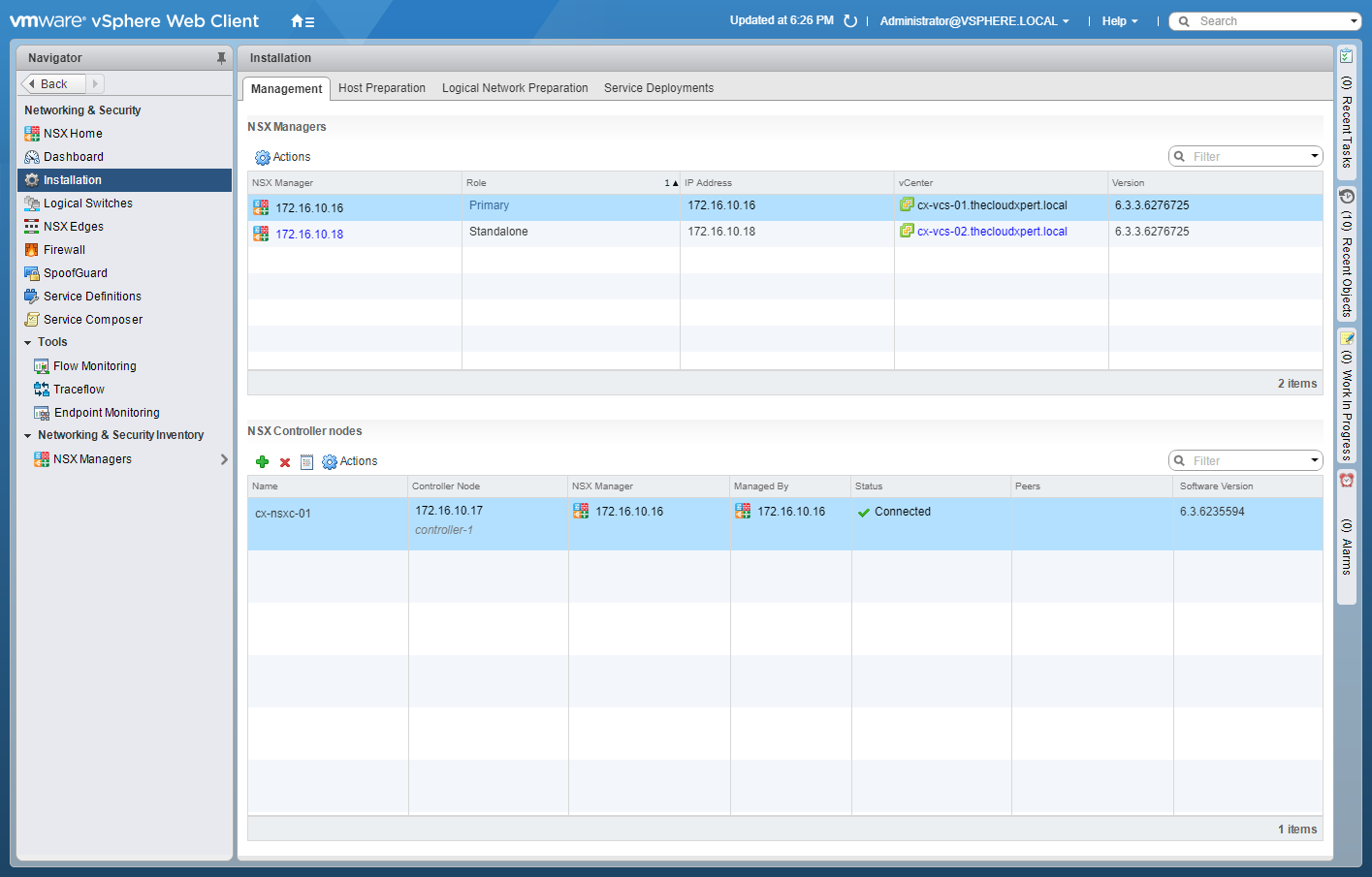
- Select the Primary NSX Manager and click Actions.
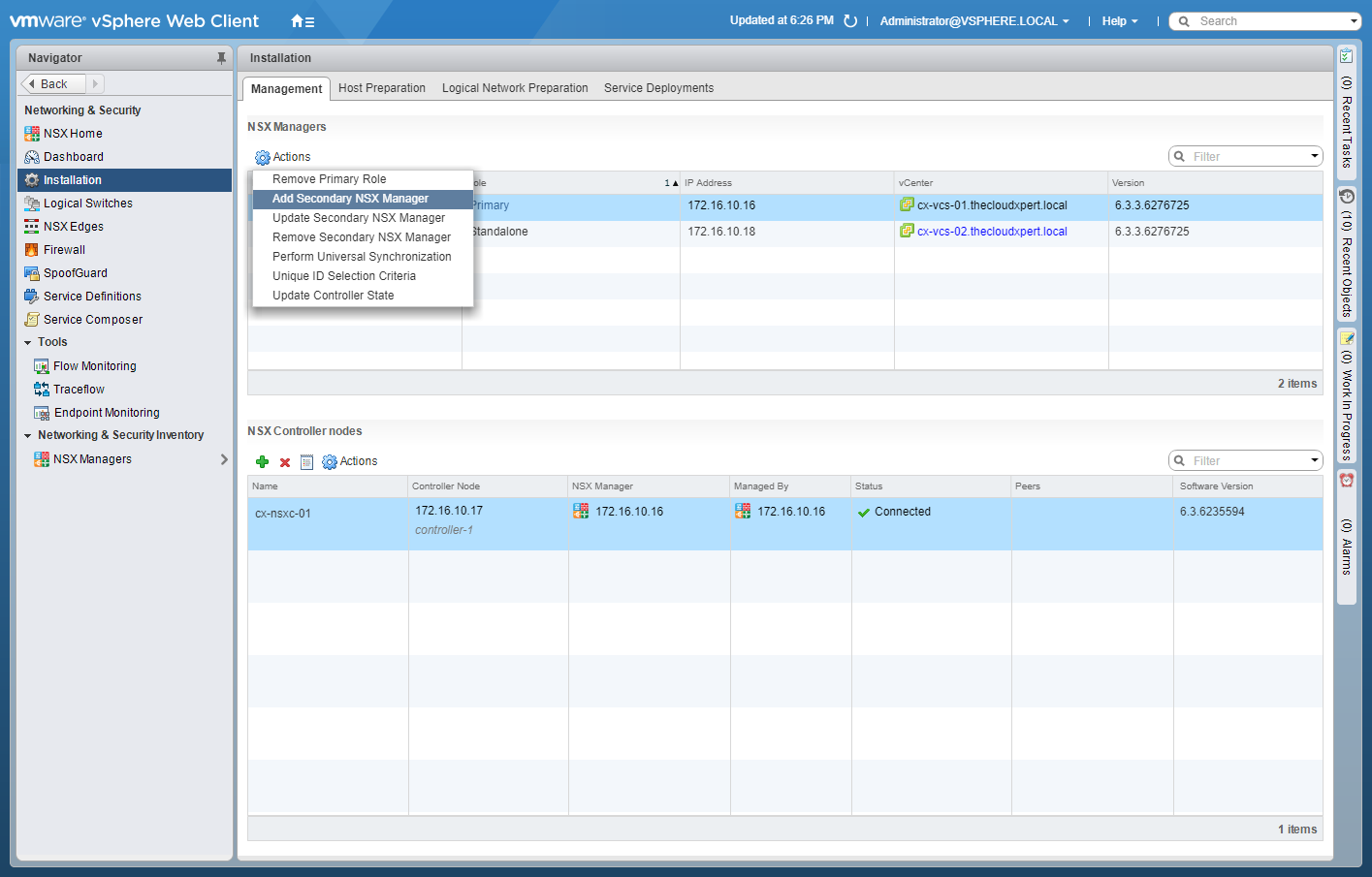
- Click Add Secondary NSX Manager.
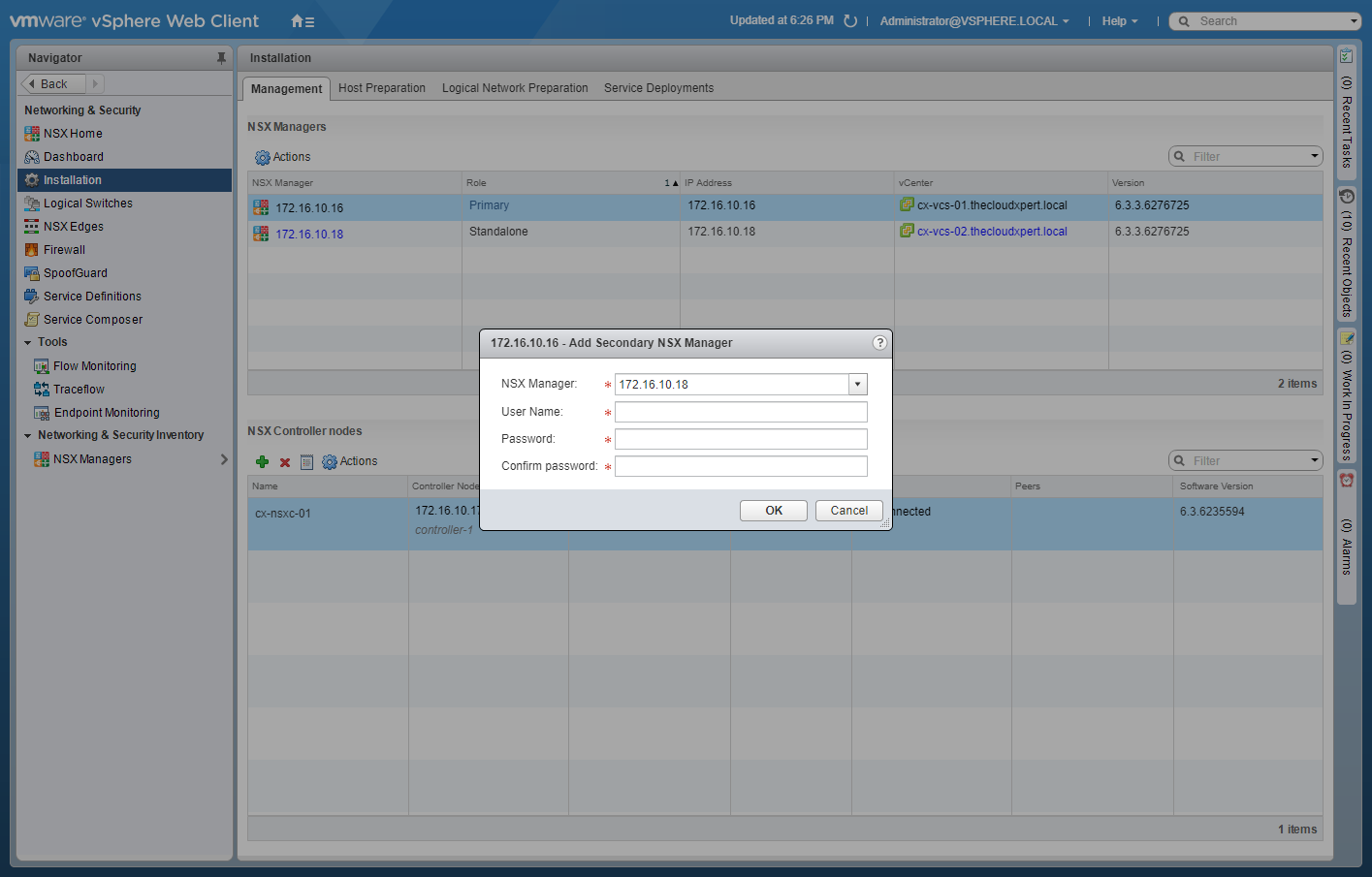
- Select the appropriate NSX Manager from the dropdown, enter the User Name and Password, then click OK.
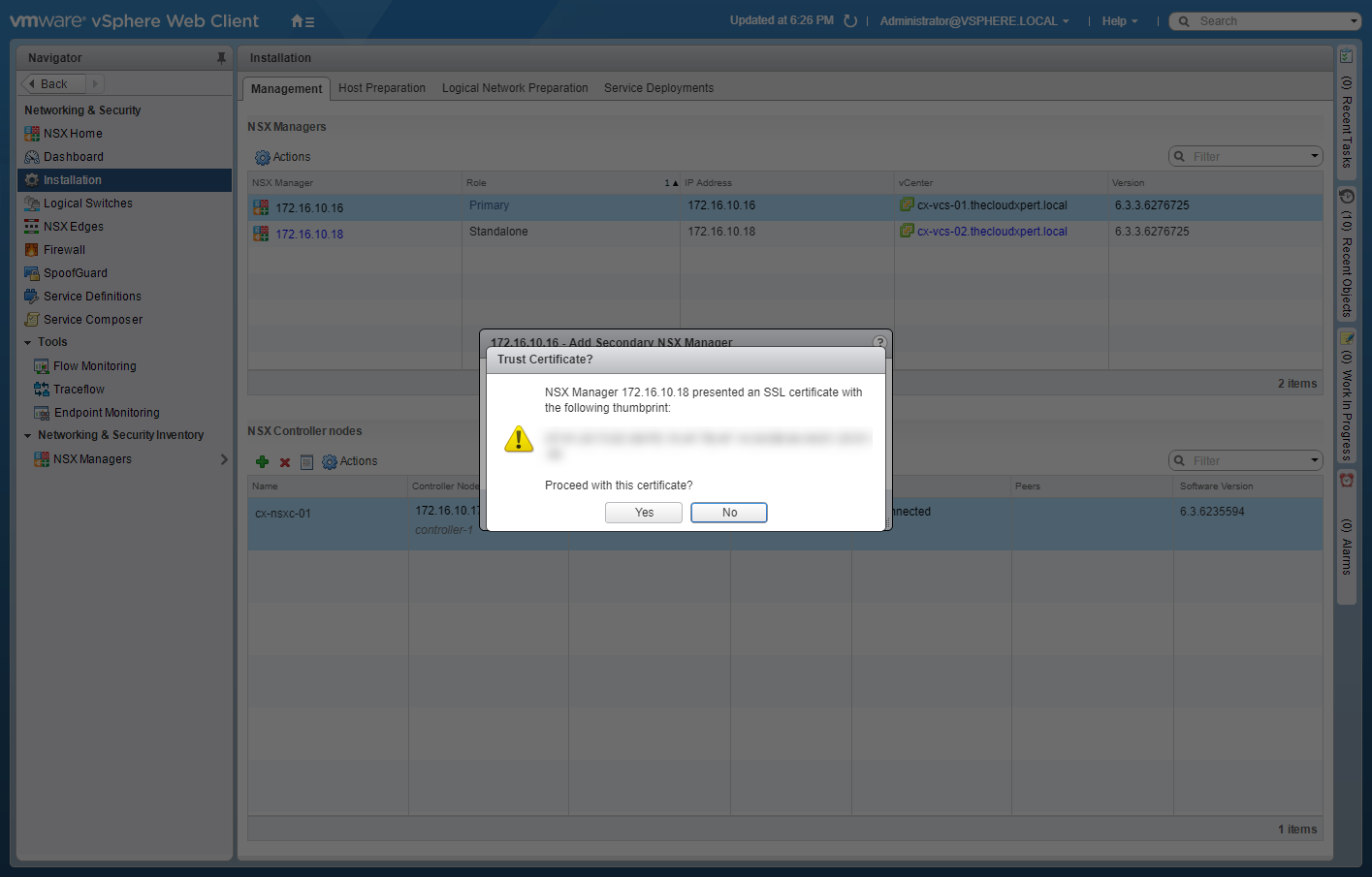
- Click Yes.
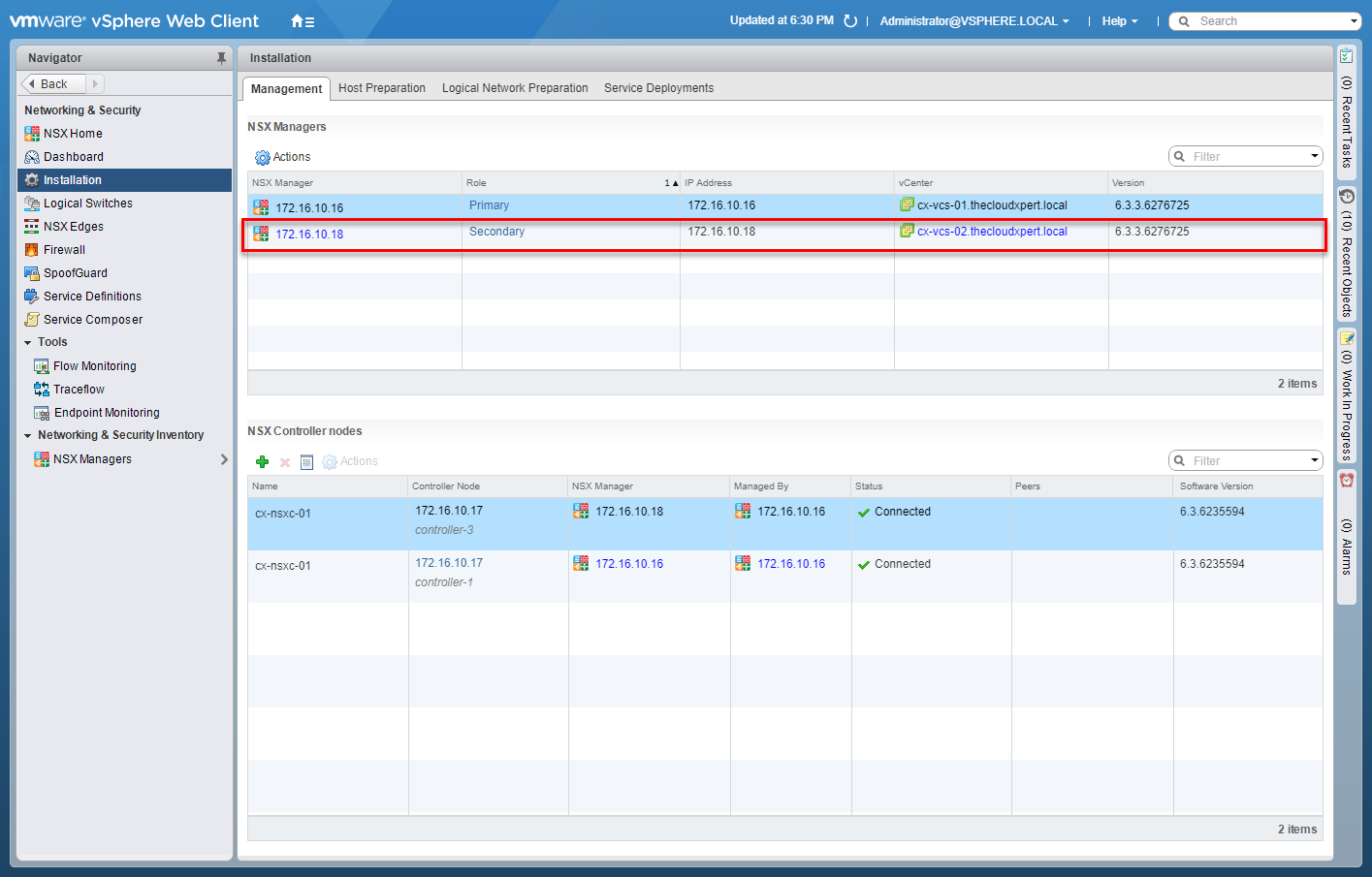
Deploy/Configure Universal Controller Cluster
Within Cross vCenter VMware NSX, there can be only one Controller Cluster, which is configured against the Primary NSX Manager and is known as the Universal Controller Cluster.
Written by Christopher Lewis on October 12, 2017 .
VMware Specialist: vSAN - Objective 2.1 - Provide a high-level description of vSAN
This post is part of a series of posts as part of the
vSAN Specialist
exam. In this post will we will cover Objective 2.1 - Provide a high-level description of vSAN.
Written by Christopher Lewis on October 9, 2017 .
vExpertVSAN
VMware
VSAN
vSphere
Written by Christopher Lewis on October 9, 2017 .
Blog Categories:
active directory 6
aria automation 9
aria operations 2
aws 2
certificate authority 5
certificates 5
certification 91
general 9
home lab 2
microsoft 7
nsx 45
nsx v 41
powercli 8
powershell 6
vcap 48
vcap6 2
vcenter 4
vcf 4
vcix 2
vexpert 9
vmug 5
vmware 99+
vmware aria automation 9
vmware aria operations 5
vmware cloud 3
vmware explore 2
vmware identity manager 2
vmworld 36
vrealize automation 80
vrealize business 2
vrealize operations manager 5
vrealize orchestrator 13
vrealize suite 14
vrealize suite lifecycle manager 20
vsan 5
vsphere 9
windows 6
Top Tags:
active directory 6
api 18
barcelona 24
certificates 11
certification 7
howto 33
microsoft 7
multi tenancy 9
nsx v 43
platform services controller 8
powercli 8
powershell 7
psc 6
vcap 9
vcap6 45
vcap6 cma 48
vcap6 nv 37
vcix6 nv 36
vexpert 19
vmug 8
vmware 99+
vmware aria 12
vmware aria automation 9
vmworld 35
vmworld 2016 13
vmworld 2017 9
vra 13
vrealize automation 74
vrealize operations 8
vrealize orchestrator 21
vrealize suite lifecycle manager 11
vrslcm 20
vsan 7
vsphere 12